
DeepDojo.AIPublished 2026-11-08Updated 2026-11-09中文
Prompt, Context, Project: What AI Terms Really Mean
LLM, Model, Prompt, Context, Chat, File, Project, Artifact: these eight words keep appearing in Claude's interface and help pages. Until you can tell them apart, a changed result leaves you guessing whether to rewrite the request, swap the material, or switch models.
Claude is the working example. For features like Project and Artifact, first see what they do, then look for the matching feature in whatever tool you use. LLM, model, prompt, and context apply to other AI assistants too.
A familiar scene shows why. An operations employee wants to rewrite an event description. They find the event plan, explain the readers and the rewrite requirements in the chat, get a draft, and keep revising.
That short process already touches four questions:
- which capability handles the work
- where the conversation happens
- what information it relies on
- where the result lives
The eight words answer one each. Once you know how they divide the work, a changed result next time lets you first judge whether the request, the material, the model, or the presentation changed, and fix that one instead of guessing.
01 Eight concepts, four questions
Suppose an operations employee wants to rewrite an event introduction. They find the event plan, tell Claude about the readers and the revision requirements, get a draft, and keep editing. That process raises at least four separate questions:
Which capability does the work
Where the conversation happens
What information supports the answer
Where the result appears
The eight concepts answer those questions. Their relationships come first, then each one in turn:
LLM: a category of models for language understanding and generation
Model: the specific model used for this request

Workspace:
  A standalone Chat
  or a Project: related materials, instructions, and multiple Chats

The current Chat's Prompt, available earlier messages, Files,
and relevant project materials
  ↓ The portions actually available to the model
Context
  ↓ The Model generates from this information
Reply or Artifact
  ↓
Human review and further revision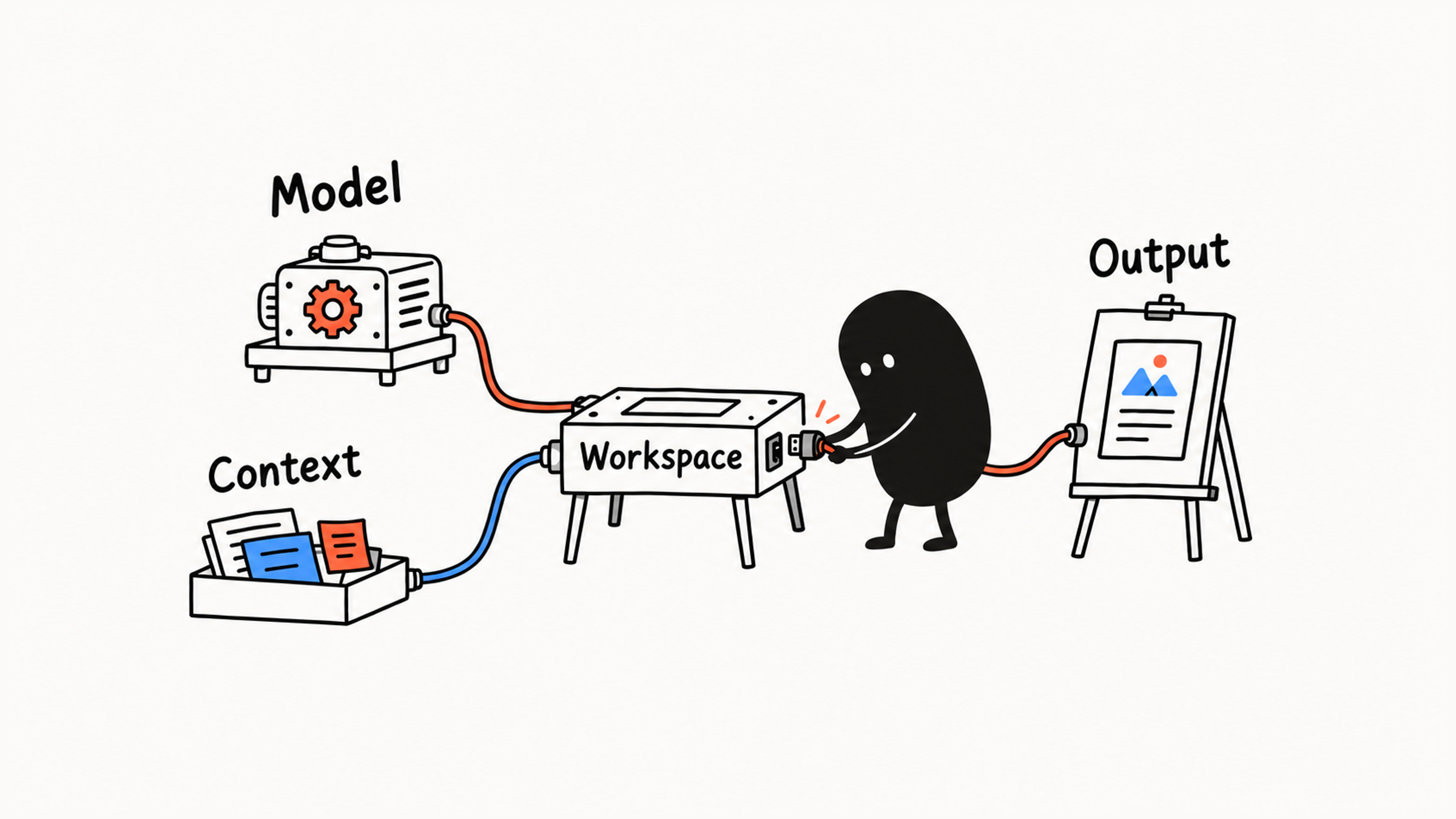
If the employee only needs to rework one paragraph, a Chat is enough. For a long-running series of events, a Project can organize the related work. The flow changes with the task, but each concept keeps its role. The eight concepts pay off when a result shifts, because they let you find which one moved.
02 LLM and Model: the category and the choice
LLM stands for Large Language Model. A model of this kind learns the relationships in language and information from large amounts of data, and it can generate answers, summaries, and explanations from your input. When the employee asks Claude to turn a long sentence into an easy explanation, that's the capability at work.
It can misunderstand or get facts wrong, and it only knows the private information you give it.
Model is the specific model handling this request. LLM names the technology category, and Model says which one is processing the request now.
Models can differ in speed, reasoning ability, cost, and context capacity, and the options get updated. For a short introduction, start with a model that's good enough. When you need to compare several conflicting documents, adjust the choice based on how it actually performs.
A harder task may call for a stronger model, but you still have to supply the event plan and the target audience. When you're working out why an answer changed, first separate "the processing ability changed" from "the available information changed."
03 Prompt and Context: the request and what it draws on
A prompt is the question or task description you give Claude. It tells the model what to do this round and which requirements to follow.
For example, the employee could say:
Using the event plan, rewrite the introduction below for first-time attendees. Keep the arrangements the plan includes and add no promises the plan does not make.That request gives the action, the reader, and the standard for checking. For how to build a request up step by step, see Vague AI Answers Usually Start With a Vague Request.
Context is the information actually available to the model when it generates the current answer. It can include the current request, earlier messages it can use, file contents, project materials, and other information it has obtained.
In the event introduction example, "rewrite this introduction for first-time attendees" is the task. The original introduction, the event plan, the description of the readers, and the related conversation together make up what the work draws on. A prompt can be part of the context.
If Claude writes an event schedule without ever seeing the plan, the first problem is missing evidence, and the plan is what needs adding. Take one candidate sentence:
Registration includes one-on-one coaching.
If the plan only schedules an online talk, that promise has no support and should be changed to match the real arrangement. If the plan includes a Q&A session, keep asking: is the Q&A a group session, or truly one-on-one? Only if it's one-on-one can the sentence say "one-on-one coaching."
To see the difference yourself, send the same request in two new conversations, once with no material and once with a real passage pasted in. The gap between the two answers comes from the change in evidence.
Think of context as Claude's current "working memory." It has a capacity limit. A saved file or a very long conversation may only partly take part in this answer, and a product may retrieve and select the relevant parts. State important agreements explicitly, or point to where they are.
Irrelevant material can also bring in outdated requirements. For example, an old plan and a new schedule appearing together without saying which version applies will leave the result with inconsistent evidence. When you prepare context, keep the material the current goal needs, label its version, and remove expired conditions.
04 Chat, File, and Project: conversation, files, and projects
1. Chat: holding the conversation
A Chat is the space where you talk with Claude over several rounds. The employee first asks for a rewrite of the introduction, then points out an overstated promise in the draft. All of it happens in one exchange, and the result improves step by step.
It's commonly used for a single question or a short task, and it can also serve a long-running topic. When tasks multiply, the timeline stretches, and you have several materials and agreements to manage, consider organizing with a Project.
2. File: supplying material
Here, File means a file uploaded for Claude to consult. For example, the employee uploads the event plan and asks Claude to check the introduction's promises. A file can sit in a single chat or in a project's materials area. Check the formats and limits for the entry point you're using.
In the event introduction example, the plan file gives the scope of the event, and the prompt specifies the checking and rewriting:
Compare the introduction with the uploaded plan. Keep what the plan supports, point out promises that have no support, and give a revised version.If you upload only the plan, it's still unclear whether you want a summary, a check, or writing based on it. The file supplies the evidence, and the instruction decides what to do with it. Files can be misread, so check the result against the original.
3. Project: organizing ongoing work
A Project is a workspace that organizes conversations, reference materials, and project instructions for one topic. Conversations happen inside the project, and its materials and instructions supply reusable background. Anthropic's Help Center describes it the same way: a self-contained workspace with its own chat history and knowledge base, where you can upload documents, add context, and hold focused chats with Claude.
For a long-running series of events, put in the event positioning, the participants' profile, the plan, and the style requirements, then open separate conversations for each event. With stable information in a fixed place, you only describe what changed this time. Check your actual permissions before putting materials in a project.
Think of a Project as a folder organized around a topic, with a Chat as one discussion inside it. You can use both together: the current conversation still says which paragraph to change, and the project supplies the background.
Organize materials by topic, keep file names and versions clear, and say which one you want Claude to consult. Whether details from materials and old conversations take part in this answer depends on the information actually available. Projects keep being updated, so the exact entry points are whatever your own account shows. For when a Project is worth setting up, see Picking the Right AI Feature for Each Kind of Task.
05 Artifact: viewing and revising the output
An Artifact is a fuller piece of output that Claude presents in its own area, so you can view, revise, and reuse it. A document, web page, code, or chart can all take this form. According to Anthropic's Help Center, it opens beside the conversation, and you can edit it, come back to it, and share it. It's only a container for the output, and whether the work is final is a separate judgment.
Here, File mainly carries input material and Artifact carries output. The event plan file is the basis for the rewrite, and the finished introduction can go into an Artifact. To keep editing a paragraph, make requests about that output.
That's just a way to tell the roles apart. An output can also become the next round's input.
A one-line explanation or a few headings can stay in an ordinary reply. A long document, a web page prototype, or a reusable template fits an Artifact. Check the entry point and settings for your account.
Once the draft appears in its own window, viewing and revising are easier. You still have to check the promises against the plan and confirm who reviews it.
06 A quick reference, and when results change
You can look up the eight concepts by the problem in front of you:
| Concept | Role | In the event introduction example |
|---|---|---|
| LLM / Large Language Model | The foundation for language understanding and generation | Organizes information into an explanation for the reader |
| Model | The specific model processing the request | Chosen according to revision difficulty, results, and speed |
| Prompt | States the current task and requirements | Requests an introduction suitable for first-time attendees |
| Context | Information actually available for the current answer | Original introduction, event plan, reader requirements, and relevant conversation |
| Chat | Holds multiple rounds of task discussion | Requests wording changes after reviewing a draft while retaining its structure |
| File | Supplies material to process | An uploaded event plan |
| Project | Organizes materials, instructions, and conversations for an ongoing topic | Maintains background for the same series of events |
| Artifact | Separately presents an editable output | Displays the complete introduction for revision |
When a result changes, go back to the "one-on-one coaching" promise from earlier. Updating the plan changes the evidence. Revising the prompt changes the requirements. Switching the model changes the processing ability. Putting the output in an Artifact changes only how you view and edit it.
Map the eight concepts onto a small task you did recently. The one you can't match to anything is the one you haven't pinned down yet.