
DeepDojo.AIPublished 2026-11-13Updated 2026-11-13中文
Which Claude Code Features Should You Learn First?
Your first few sessions with Claude Code feel easy. You ask a question, you get working code. The friction shows up on the second or third day: every new conversation starts with you repeating the same briefing. This project uses that framework. Don't touch these directories. Run the tests this way after any change.
So you open the docs and find a long list of features: slash commands, memory, checkpoints, the CLI, skills, hooks, MCP, subagents, plugins. Each one looks useful, and it's tempting to switch them all on at once.
Yet two complaints that both sound like "it didn't do what I wanted" can live on completely different layers. If you paste the same review checklist before every commit, you're missing an entry point. If Claude switches back to npm in every new window and ignores your lockfile, it's missing long-term memory.
The more features you stack up, the harder failures are to trace. Start instead with the sentences you repeat every day:
- Rules that apply across tasks go into project memory.
- Fixed procedures you run often become commands.
- Prove those two work on a small, low-risk task, then add checkpoints, hooks, or external connections one gap at a time.
Each addition then has a visible job, and when something breaks you know which layer to inspect.
01 What each of the nine features solves
Start by asking what you explain to Claude over and over. Build your setup from those repeats. Once you know your own habits, the feature list stops being a pile of abstract names:
| Feature | Problem it solves | Typical artifact |
|---|---|---|
| Slash Commands | You rewrite the same request every time | Reusable command |
| Memory | You keep re-explaining project rules and preferences | CLAUDE.md and memory files |
| Checkpoints | Large changes have no fallback point | Restorable session state |
| CLI | You need scripting, batch jobs, or automation | Command-line calls and structured output |
| Skills | A specialized task needs a fixed method and references | Reusable capability package |
| Hooks | Actions like writing files or running commands need checks or logs | Automation scripts and safety controls |
| MCP | You need external tools, services, or data sources | Controlled tool interfaces |
| Subagents | Complex work needs different specialist views | Specialist agents |
| Plugins | A team needs to package and distribute a whole workflow | Installable plugin |
Read the middle column first. Pick the two or three problems that bother you most, decide what result you want, then choose the matching feature.
A slash command gives you a quick entry point; a skill holds the method and its reference material. According to the Claude Code skills documentation, custom commands have been merged into skills: a well-written skill can be invoked directly as a command, so one method lives in one place.
Code review, CI/CD, and team conventions often chain entry points, rules, the CLI, hooks, and specialist subagents together. Before you assemble a big system, figure out which piece of the work each part takes off your hands. When a step fails later, you'll know which screw to turn.
02 Why learn in stages
With this many features on offer, wanting all of them is natural. Picture it: you wire up an MCP connection, three specialist subagents, and a hook that validates every save, and you still haven't told Claude which test script to run.
When something fails, is it a network timeout, a confused subagent, a hook blocking the call, or a vague prompt? With several variables tangled together, debugging turns into a mess.
Take small steps at first. Write down three to five core project rules, save your most common request as a command, and try both on a small but real task. Once that runs smoothly, add the next block. Every addition then shows you clearly whether it fixed the original pain or created new trouble.
You can work through four layers:
Layer 1: Start tasks reliably
  |
  |-- Slash Commands for frequent requests
  |-- Memory for project rules and long-term context
  |
Layer 2: Change the project safely
  |
  |-- Checkpoints for trial and rollback
  |-- CLI for simple scripted or batch tasks
  |
Layer 3: Package reusable capabilities
  |
  |-- Skills for specialized methods
  |-- Hooks for automatic checks, logging, and safety controls
  |
Layer 4: Combine complex workflows
  |
  |-- MCP for external tools and data
  |-- Subagents for specialist roles
  |-- Plugins for team distribution
Stabilize the basic context and entry points first: commands cut repeated typing, memory cuts repeated explaining. Then add rollback, automation, and team collaboration.
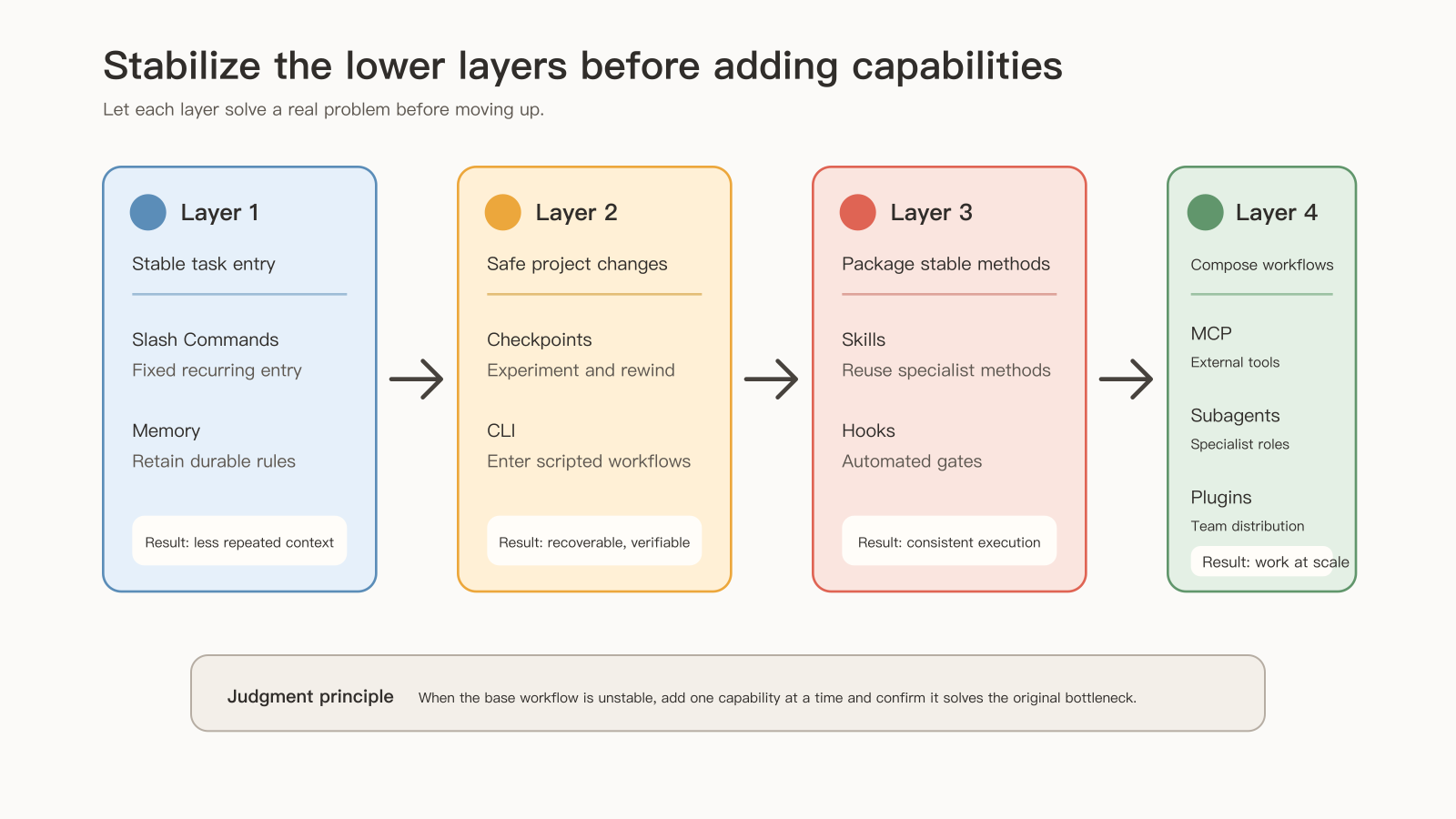
The path helps you locate where you are. If the basics wobble, go back to commands and memory. Once small tasks run reliably, add checkpoints, the CLI, skills, and hooks. Reach for connections, delegation, and distribution when work crosses tools, roles, or teams. Planning, extended thinking, background tasks, and remote control can wait until you need them.
The official Claude Code features overview suggests the same incremental approach: when Claude gets a convention wrong twice, add it to CLAUDE.md; when you keep typing the same prompt, save it as a skill; when a second repository needs the same setup, package it as a plugin.
03 Pick features from concrete problems
Go back to your real daily work. Procedures like checking uncommitted changes or drafting a commit message to team standards can become commands you call on demand. Which package manager the project uses, which directories are off-limits, and which tests must pass before a commit belong in memory.
Three common problems, each with its own feature:
- You ask for tests after every change: save the request as a slash command.
- The project uses
pnpm, but Claude keeps reaching fornpmin new sessions: keep the rule in memory. - A failed refactor has to be undone by hand: use checkpoints, and protect long-lived versions with Git.
Before a cross-file refactor, a core dependency upgrade, or a big cleanup, decide how you'll roll back. Checkpoints can undo files Claude changed with its editing tools. Commands typed into the terminal and database schema changes still need Git branches or snapshots as a backstop.
Once basic tasks run reliably, extend by gap:
| Current gap | Choice and what to check |
|---|---|
| Scripts, CI, or batch jobs | CLI: inputs and outputs, permissions, exit status, logs |
| Review, docs, or refactoring with a fixed method | Skill: method, references, templates |
| Automatic checks before or after an action | Hook: format after edits, block risky commands, log at session end |
| Databases, issues, or internal services | MCP: controlled interfaces and access scope |
| Complex PRs needing security, testing, and performance views | Subagents: investigate separately, then merge in the main thread |
| One workflow reused by many people | Plugin: package commands, agents, templates, and docs |
When one feature isn't enough, combine them by scenario:
| Scenario | Features to combine | Why |
|---|---|---|
| Automated code review | Slash Commands + Subagents + Memory + MCP | The command is the entry, memory holds project rules, subagents bring security, test, and performance views, MCP connects the repo or PR |
| Team onboarding | Memory + Slash Commands + Plugins | New members reuse project rules, common commands, and team plugins |
| CI/CD automation | CLI + Hooks + Background Tasks | The CLI handles scripting, hooks run key checks, background tasks carry long jobs |
| Documentation | Skills + Subagents + Plugins | A skill fixes the writing method, a subagent handles specific docs, a plugin distributes it |
| Security audit | Subagents + Skills + Hooks | A security agent reviews risk, a skill supplies the checklist, hooks block risky actions |
| Complex refactoring | Checkpoints + Planning Mode + Hooks | Checkpoints give rollback, planning breaks down the steps, hooks check automatically |
Choose combinations from the gap in front of you. If you only review a local diff, one command plus a few project rules is enough. Add an external query when you actually need to check a live PR discussion. MCP and specialist subagents can come in once a task genuinely gets stuck.
04 Start with a minimal workflow: one command, one memory file
A small project is the easiest place to start: prepare one command and one memory file, then test them on a low-risk task.
Step one: initialize or write project memory by hand, keeping only the facts Claude Code needs to do its work. Create CLAUDE.md at the project root and adapt the example below; take the test and build commands from the scripts your project already has:
# Project Rules

## Tech Stack

- Next.js
- TypeScript
- PostgreSQL

## Common Commands

- Install dependencies: `npm install`
- Run tests: `npm test`
- Run lint: `npm run lint`

## Coding Rules

- Keep changes scoped to the requested task.
- Do not modify generated files.
- Run tests before summarizing a completed code change.
When rules pile up and you need to know which layer they belong in and whether Claude actually reads them, see where each Claude Code rule belongs in memory.
Step two: turn your most common request into a command, such as "review my current changes and suggest a commit." A command should state at least four things: what to check, how to judge, what format to return, and what to do when unsure. Save the following as .claude/skills/review-changes/SKILL.md, creating the directory if needed:
---
name: review-changes
description: Review uncommitted changes and report risks without modifying files.
---

# Review Current Changes

Review the current uncommitted changes.

Focus on:

- behavior changes
- missing tests
- risky edits
- unclear naming
- files that should not have been changed

Output:

1. Findings first, ordered by severity.
2. Then list test gaps.
3. End with a concise summary.

If the diff is too large, ask me which area to inspect first.
Arguments, dynamic context, and the full execution chain are covered in how to write a custom Claude Code slash command.
Step three: pick a project with a small existing change and run /review-changes. Check the real output:
- Did it read the current diff? Did it list issues by severity and follow the project rules?
- Does each finding give a location, a behavior change, and a trigger condition? Beyond the line number, does it explain why it fails?
- If it read nearby unchanged code, does the report explain how that code relates to this change?
- If it found nothing, did it state what it checked and what it didn't verify? Generic advice doesn't count as a finding.
A reply that recites your rules perfectly only proves Claude saw the file. Whether it acted on them shows up in what it actually did to the files and what it returned. Get the chain working in this tiny scope, and you'll trust it when you add automation later.
Step four: create directories as you need them. These commands only create files and folders; they don't install a command or enable a hook:
# Prepare a project-level skills directory
mkdir -p .claude/skills

# Prepare project memory
touch CLAUDE.md

# Only when you actually need hooks
mkdir -p .claude/hooks
A skill still needs its SKILL.md, and a hook still needs a script and an event configuration. Empty directories change nothing about how Claude Code behaves.
Step five: add a hook once you notice an action that needs an automatic check. If you keep forgetting to format, run the formatter after every file write. If risky commands worry you, intercept them before they run.
Step six: once commands, memory, and safety boundaries are stable, consider MCP, subagents, and plugins, each tied to a clear need.
After finishing each module, ask yourself four questions:
- Can I say what problem this feature solves?
- Can I say what it isn't suited for?
- Can I write a minimal configuration or command for it?
- Can I name one common mistake and how to debug it?
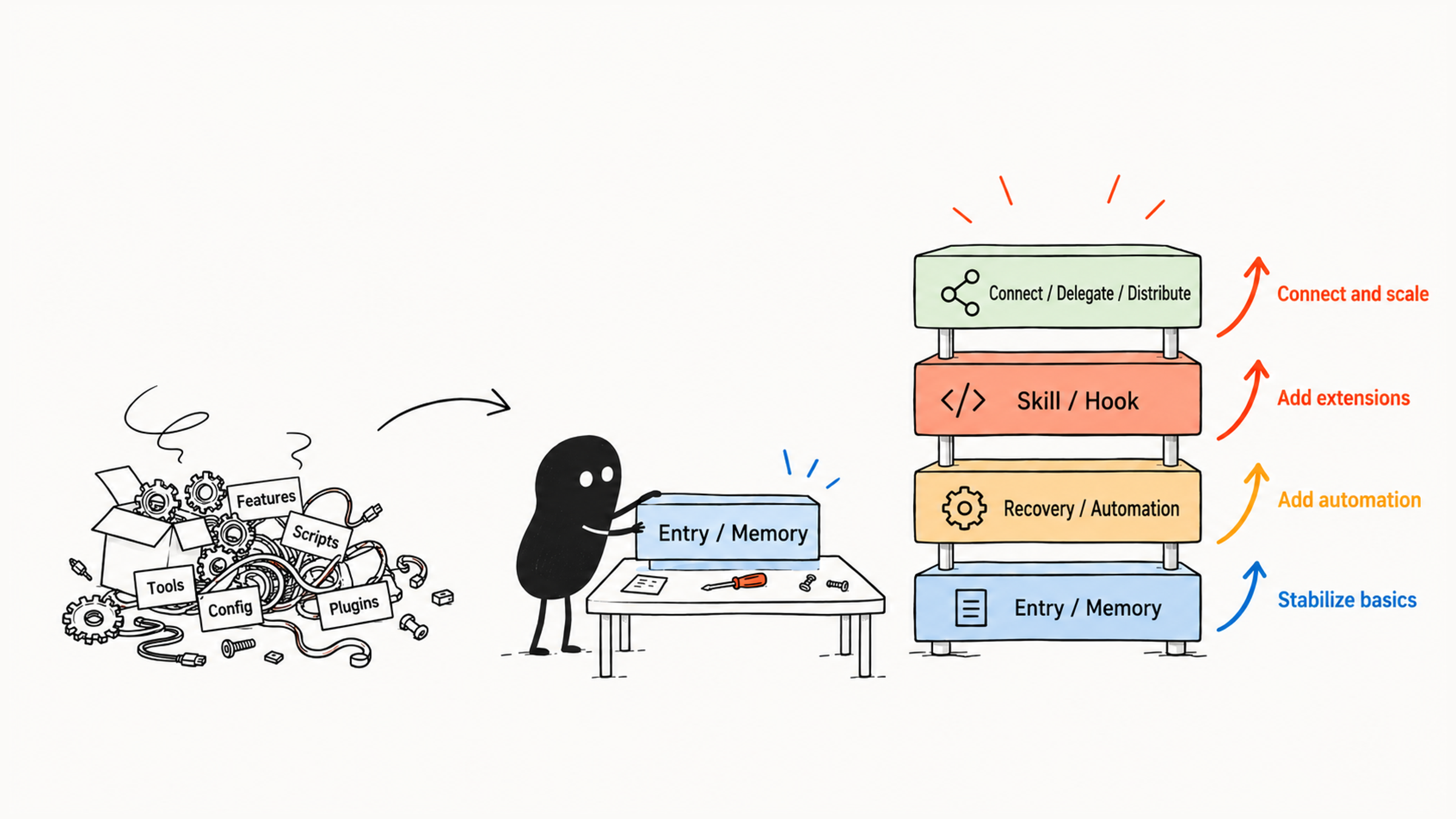
If an answer is fuzzy, settle this layer first. Advanced features build on basic configuration, and responsibilities you didn't separate now become harder to debug inside a larger workflow.
05 Keep each feature to its own job
Features that look alike solve very different problems. Pin down each one's responsibility as you configure your toolchain, and later debugging gets easier. Use common mix-ups to check the boundaries:
| Feature | Scope it should hold |
|---|---|
| Slash Command | Manually start a repeated procedure; long-term rules and automatic blocking live elsewhere |
| Memory | Long-term context; one-off tasks and full project manuals are read on demand |
| Skill | Specialized methods, templates, and references |
| Hook | Check, log, or handle an event; complex business judgment still needs a method and a human decision |
| MCP | External tool access, with permissions and data scope controlled |
| Subagent | Split out specialist work; small questions stay in the main thread |
| Plugin | Distribute workflows meant for shared use |
Take "use pnpm, don't touch generated/, run tests before committing." Put it in one command and Claude sees it when you call that command; switch tasks and you may have to say it again. Because these rules apply across tasks, they belong in project memory, where every command can share them.
Hooks need to be thought about in time order. To stop a change, check before the edit. If you only catch the problem afterward, the file has already changed and you have an existing edit to deal with. A script can judge formatting rules; complex meaning needs a review method and evidence. Decide what you're checking and how far the action has gone, then decide who handles it.
06 Test your setup with real tasks
Once things are configured, check these five points on real work:
| What to check | What to look for |
|---|---|
| Is project context reusable? | Memory supplies the stack, directories, tests, and off-limits areas, so you explain less |
| Are common tasks easy to start? | A clear command launches each fixed procedure |
| Are big changes prepared? | Read files, list a plan, state risks, confirm boundaries and a recovery point |
| Can automation report results? | Hooks, the CLI, and scripts leave logs, output, or a clear failure reason |
| Can complex work be split? | Methods, agents, external tools, and human approval each have a clear role |
Check the configuration item by item. If the common entry point launches fine but the automatic check only ever says "done," add logs or failure reasons first; the entry point can stay as it is. Fix the layer where the real gap is before adding more, so you know where later improvements came from.
Here's something you can do today: list every sentence you've told Claude Code more than twice this week. Rules go into memory, procedures become commands. Learn the other features when you actually run into the problems they solve.