
DeepDojo.AIPublished 2026-11-13Updated 2026-11-13中文
Turn Repeated Prompts Into Claude Code Commands
Think back over the code reviews you asked for this week. On Monday you made a point of saying "look hard for missing tests." On Wednesday, rushing, you typed "take a quick look at this." On Friday, with production alerts going off, you asked it to focus on concurrency.
Three different requests produced three reports with different styles and priorities. The day you want to compare two reports, or hand the process to a teammate, you realize "review" itself never had a fixed standard.
Adding a few more lines to each prompt won't fix that drift. What works is capturing the rules that should hold every time and turning them into a slash command:
- what to examine first in the diff;
- which fixed criteria to check against;
- how to structure the findings, and where to stop when input is missing.
Next time you call it, you only add what's unique to this run, such as a PR number or the purpose of the change. The command locks in your review standard. Whether Claude followed it on a given run is something you still verify against the actual report.
01 Five questions every command should answer
A slash command gives a frequent task a fixed entry point. Once it's set up, typing /commit, /pr, or /optimize makes Claude Code read the matching instructions. These are example names you create yourself. If the file spells out the goal, steps, arguments, current state, tool permissions, and output, you can reuse the same requirements every time.
A usable command answers:
| Question | What to spell out |
|---|---|
| When is it used? | Scenario and task scope |
| What does it look at first? | Required context and inputs |
| How does it work? | Tools, steps, and order |
| What does it return? | What the result must contain |
| When does it stop? | Risks, missing input, and failures |
02 Know the four kinds of entries in the / menu
The / menu in Claude Code gathers several kinds of entries. Learn where each one comes from:
| Type | Purpose | Examples |
|---|---|---|
| Built-in commands | Interactive commands that ship with Claude Code | /help, /clear, /model, /permissions |
| Skill commands | Reusable capabilities you define in SKILL.md | /optimize, /pr, /commit |
| Plugin commands | Commands provided by a plugin | /plugin-name:command-name |
| MCP prompts | Prompts exposed by an external MCP server | /mcp__server__prompt |
When a / command doesn't appear, first ask where it should come from. Built-in commands, project skills, plugins, and external MCP servers load from different sources, so the same menu symptom can have different causes. Once you know the source, you know whether to check project files, plugin status, or an external connection.
Put new custom commands in skills. The Claude Code skills documentation says custom commands have been merged into skills: the older .claude/commands/<name>.md still works, but a skill has more structure. It can carry references, templates, and scripts, and its frontmatter can control whether Claude may invoke it on its own.
Watch for duplicate names when you migrate. If both .claude/commands/review.md and .claude/skills/review/SKILL.md exist, the skill runs. So you edit the old file, call the command again, and nothing changes. Confirm which file is actually loaded before removing the old one; keeping one method per entry point keeps things traceable.
There are many built-in commands, and menus differ across versions and accounts. To begin, you only need /help, /permissions, and /skills; write your first command, then come back for the rest when a specific problem calls for it. When the context fills up, check usage with /context before deciding on /compact. When a command is missing, check /skills, /plugin, or /mcp according to its source. The full list is in the official built-in commands reference.
03 Write a custom command as a skill
The recommended layout:
.claude/
  skills/
    my-command/
      SKILL.md
A minimal template:
---
name: my-command
description: Explain what this command does and when to use it
---

# My Command

When this command is triggered, follow these steps:

1. Read the required context.
2. Decide the scope of the task.
3. Return the result in the specified format.
name sets the command name, so this example becomes /my-command. description should state when to use it, because Claude Code relies on it to decide when the skill applies, and it helps you recognize the command in the list.
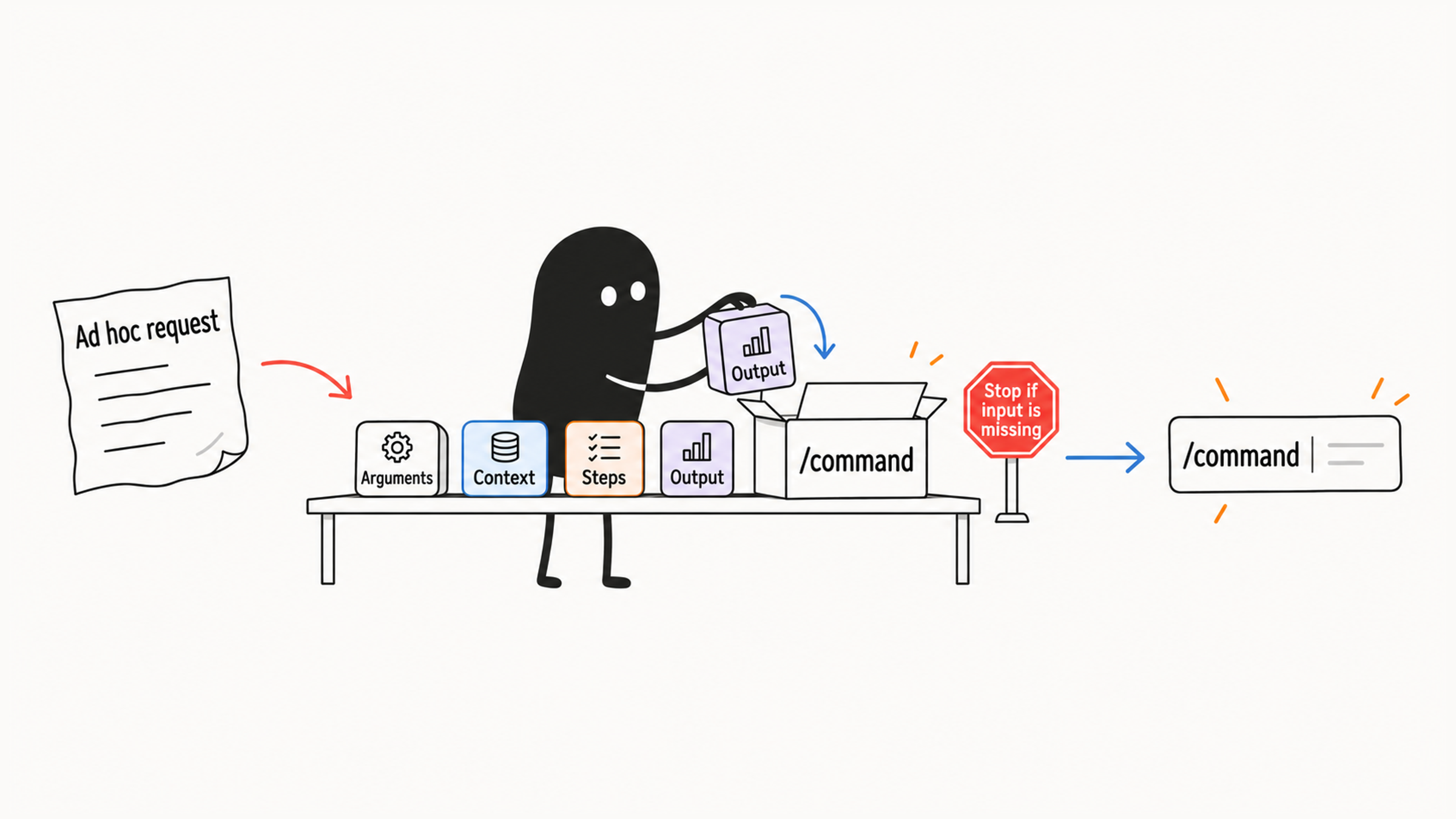
A real command also needs an argument hint, tool permissions, and dynamic context:
---
name: commit
description: Create one clear commit from the current changes
disable-model-invocation: true
argument-hint: "[optional message]"
allowed-tools: Bash(git status *) Bash(git diff *) Bash(git log *) Bash(git branch --show-current) Bash(git add *) Bash(git commit *)
---

# Commit Current Changes

## Context

- Current status: !`git status`
- Current diff: !`git diff HEAD`
- Current branch: !`git branch --show-current`
- Recent commits: !`git log --oneline -10`

## Task

Create one git commit containing only the changes authorized for this task.
Inspect staged and unstaged changes. Exclude unrelated files and secrets.
If the intended file scope is unclear, ask before staging. Do not push.
After committing, report the commit ID and included files.

If the user passed a message, use it as guidance: $ARGUMENTS

Otherwise, analyze the changes and write a conventional commit message:

- `feat:` for a new feature
- `fix:` for a bug fix
- `docs:` for documentation
- `refactor:` for refactoring
- `test:` for tests
- `chore:` for maintenance
Now type /commit fix login timeout and trace the whole flow:
- Which files changed comes from the Git queries that run up front.
- Why the change was made comes from the argument you typed.
- Which tools it may call without prompting comes from the tool grant; what it should and shouldn't do comes from the task text.
Each of the four settings has its own job:
| Setting | What it does in this call |
|---|---|
Four ! queries | Fetch status, diff, branch, and recent commits before the model sees the prompt, adding them as facts |
$ARGUMENTS | Receives "fix login timeout" and states the real purpose of the change |
allowed-tools | Pre-approves the listed Git queries and staging calls; everything else still goes through the normal permission flow |
disable-model-invocation | Requires a person to type the slash command, so the model never starts a commit on its own during chat |
Look at the prompt body again. "Do not push" sets the safety boundary for this task, and the conventional commit list sets the output format. allowed-tools only skips approval prompts and blocks nothing. That matters most for commands with side effects, and why a "read-only" Claude Code command still edits files explains how to set those boundaries separately.
04 Arguments, file references, and dynamic context
Arguments let one command handle different inputs. The simplest, $ARGUMENTS, holds everything the user typed after the command.
---
name: fix-issue
description: Fix a known issue by its number
argument-hint: "[issue-number]"
---

Analyze issue #$ARGUMENTS, explain the fix first, then change the code.
Call it like this:
/fix-issue 123When you need several separate arguments, read them by position with $0 and $1 (shorthand for $ARGUMENTS[0] and $ARGUMENTS[1]):
---
name: review-pr
description: Review a PR at a given priority
argument-hint: "[pr-number] [priority]"
---

Review PR #$0 at priority $1.
If the number or priority is missing, ask for it instead of guessing the target PR.
Call:
/review-pr 456 highUse @ to reference files and hand the command their content directly. You can write path references in your input or in the command body.
Review the implementation in @src/utils/helpers.ts.
Compare @src/old-version.ts with @src/new-version.ts.
Use !`command` to inject dynamic context. Claude Code runs the shell command before sending the prompt and inserts the result into the command text.
## Context

- Current branch: !`git branch --show-current`
- Current status: !`git status --short`
- Current diff: !`git diff HEAD`
Dynamic commands run before the model sees the skill body. Keep the injection area to short, read-only queries, and leave actions like committing or deleting in the main steps.
The same goes for how much context you pull in. Ask what the output is for before fetching it:
- A code review needs the diff.
- A commit needs status and a short log.
- Ordinary doc cleanup doesn't need thousands of lines of test logs.
05 Trace a command along its execution chain
Knowing the execution order lets you pinpoint which step failed.
User types /command-name
  |
  v
Claude Code searches skills, legacy commands, plugin commands, and MCP prompts
  |
  v
Finds a matching command
  |
  v
Reads SKILL.md or the command file
  |
  v
Parses frontmatter
  |
  v
Substitutes arguments such as $ARGUMENTS, $0, $1
  |
  v
Runs dynamic context commands such as !`git status`
  |
  v
Sends the completed instructions to Claude
  |
  v
Claude follows the command and returns a result
With this chain in mind, find the step where things went wrong, then adjust the file name, arguments, or body for that step.
Say /review-pr 456 high starts but keeps asking for the PR number. The entry was found, at least. Next, read the body: if it only uses #$ARGUMENTS, it receives the whole string "456 high," with no separate number and priority. Claude might work it out or might not, so treat that as a hypothesis to verify.
Switch to $0 for the number and $1 for the priority, then compare with the same call. Is the target now #456, reviewed at the high standard? Only if both are right did the change work. If it still asks, check whether the dynamic queries fetched the target PR. Each step narrows the problem using evidence you already have.
When a command can't be found, check the file location first:
- Skill format:
.claude/skills/<name>/SKILL.md - Legacy format:
.claude/commands/<name>.md
Then confirm name matches the /name you typed. If the current session hasn't picked up a changed file, restart Claude Code or reload the configuration. When dynamic context doesn't appear, check two things: whether the syntax is exactly !`command`, and whether allowed-tools approves that shell command.
Once the command starts, the next question is whether it did the right thing. Pick a small diff and compare the report: does it point at this change, do the required checks appear, does it mention verification it didn't run? When input is missing, it should say what's missing and stop, as agreed.
06 Which workflows deserve a command
These tasks are frequent, stable, and easy to check, which makes them good commands:
| Command | Use case | Key checks |
|---|---|---|
/optimize | Analyze performance, memory, algorithms, and caching | Severity, location, explanation, fix |
/pr | Prepare changes before opening a PR | Formatting, tests, diff, summary, impact |
/generate-api-docs | Generate API docs from source | Signatures, examples, requests and responses, errors |
/commit | Create a commit from current changes | Git status, diff, branch, commit type |
/doc-refactor | Reorganize project docs | Project type, doc folders, entry points, cross-references |
/setup-ci-cd | Add quality gates | Formatting, lint, security, type checks, tests |
/unit-test-expand | Expand test coverage | Untested branches, edge cases, failure paths |
The third column is what to verify on each run. Writing it into the command file tells Claude Code how far to go and what the result must meet.
Before saving, separate "method" from "material." How to set the scope, how to judge severity, and how to structure the report can be fixed. The PR number, base branch, and actual diff must be fetched every time. Leave last week's diff in the template and the entry point looks reusable while the report still answers an old question. Leave room for the current input, and the method becomes truly reusable.
Each type of command needs its own standard:
- Optimization: explain performance, memory, algorithm, caching, or concurrency issues.
- PR prep: say why it changed, what was tested, and what it affects.
- API docs: check signatures, comments, requests and responses, and error examples.
- Doc restructuring: keep entry points, cross-references, and relationships between pages.
- CI setup: identify the existing languages, frameworks, and toolchain first.
- Test expansion: look for untested branches, edge cases, error paths, and key business logic.
With the file ready, decide who needs it. Team procedures go in the project's .claude/ folder and are maintained with the code. Personal habits across projects go in your user directory. That way, everyone gets the same version when team rules change, and your personal habits don't get shipped to the whole team.
When migrating a legacy command to a skill, move .claude/commands/optimize.md to .claude/skills/optimize/SKILL.md. Then work back from a real call and check three things:
nameequals the expected command name.descriptionstates when to use it.- Whether the old command file should be deleted to avoid a name clash.
Finally, check your commands against these symptoms:
| Symptom | Fix |
|---|---|
| One-off tasks get entries too, and the menu keeps growing | Do temporary tasks in chat; prune entries you no longer use |
| The command just says "optimize the code" | Say whether you care about performance, readability, memory, algorithms, or concurrency |
No description | Add the purpose and when to call it |
| Method, templates, and scripts all crammed into one file | Split them by purpose in a skill directory |
Whether a command is any good comes down to a real call. Finding the entry and getting a reply is only the first step. Whether it did the agreed work for this particular input decides whether the entry point is worth keeping.