
DeepDojo.AIPublished 2026-11-09Updated 2026-11-09中文
Five Checks That Prove AI-Written Code Works
Claude Code hands you a completion report: build passed, lint passed, fixed. You refresh the page, and the session is still lost. The same task may also turn up a second problem: the release process refers to a test command that was deleted long ago.
These symptoms all sound like "not done properly," yet they have different causes.
Separating them makes things clearer:
- Responses getting slower and costlier is a cache and efficiency problem
- A report that says done while the behavior is wrong is an acceptance problem
- Rules and tools that get harder to maintain are a configuration-aging problem
The acceptance problem is the one people overlook most. A passing build, a passing lint, and passing unit tests each establish part of the facts, and whether the target behavior came back depends on whether some check actually covers it.
The last two kinds get the full treatment here. Five kinds of checks (exit codes, unit tests, integration tests, screenshots, logs and monitoring) each provide some evidence and leave something else to prove.
An acceptance condition like "the session survives a refresh and is still cleared on logout" becomes observable behavior, and verification requirements find their place in the prompt, a Skill, and CLAUDE.md by scope.
A configuration audit table then shows where long-lived setups go stale, and three records give practice in ranking what to fix first. Every adjustment needs matching evidence and a way to recheck.
01 Slow, wrong, or outdated: tell which one it is
| Problem | What to observe | Direction of the fix |
|---|---|---|
| Repeated reads of long context get costlier or slower | Cache reads, cache writes, request changes, and timing | Reduce unneeded prefix changes; see the cache prefix |
| Claude says it is done, but the behavior is wrong | The original symptom, tests, logs, and manual checks | Add or correct how the work is accepted |
| Rules and tools get harder to maintain | Loaded content, conflicting rules, idle extensions, permission scope | Update the specific configuration that went stale |
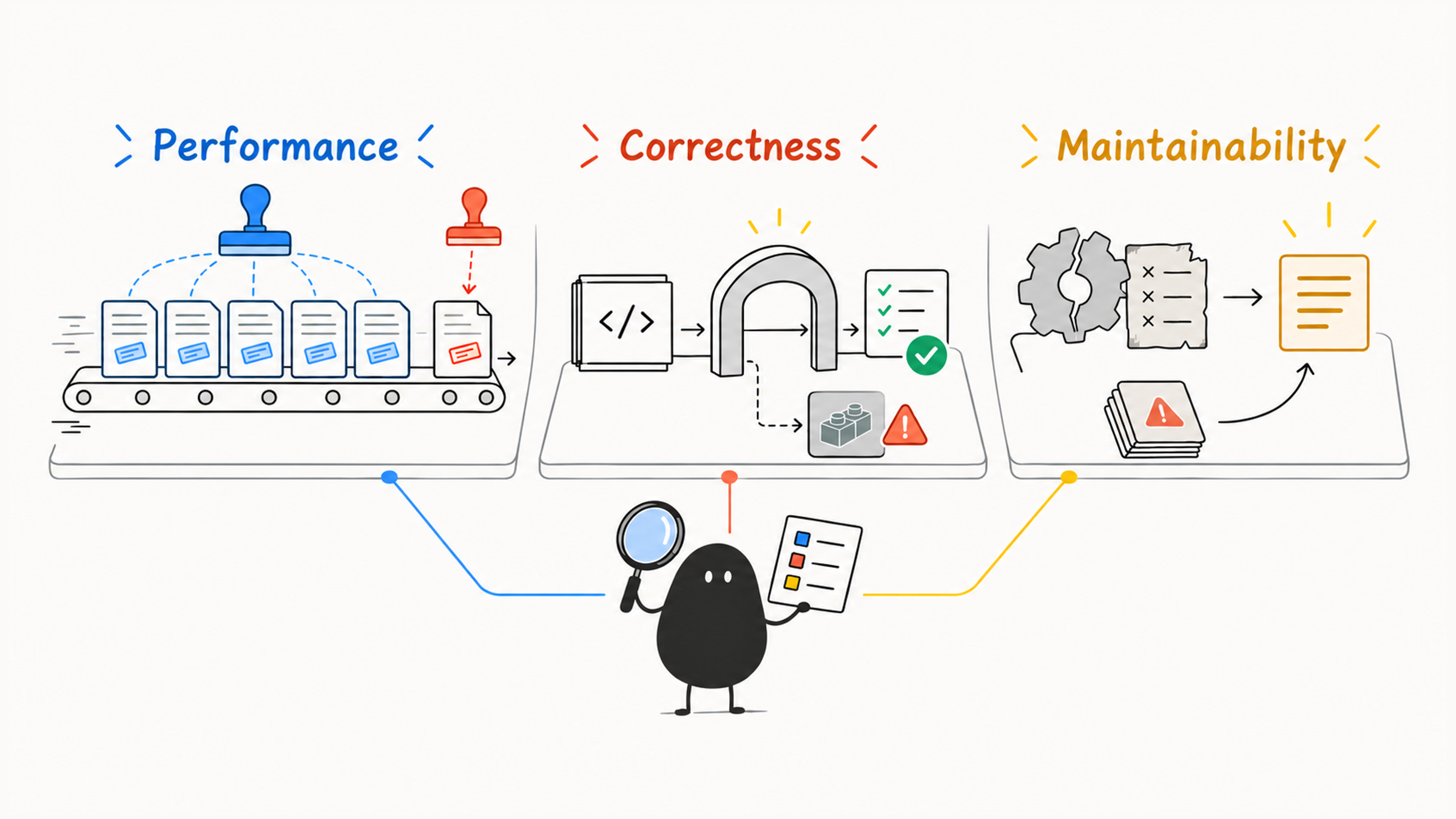
If the target behavior still fails, look at the implementation and its verification. If a deleted command is still being called, update the process that calls it. A cache hit speaks to efficiency, a passing test speaks to the behavior under test, and whether a permission setup is reasonable gets its own review. The rest of this article covers the last two: proving the fix works, and checking long-lived configuration.
02 A verifier is a check that can prove the target behavior
A verifier is the method and the standard used to accept a task. It can be an automated test, or a manual check with clear steps and an expected result. Anthropic's best-practices page treats giving Claude a check it can run as one of its main themes. What matters is whether the observation supports the task's goal.
Take the login session again, where the fix is to stop losing the session after a refresh. A successful build shows that the code builds. Whether refresh behavior is restored needs matching evidence: a test or a browser action that covers the restoration flow and checks the session state before and after the refresh.
| Check | What evidence it provides | What still needs separate proof |
|---|---|---|
| Command exit code, lint, typecheck, build | Whether the tool succeeded and whether the code meets the matching static or build constraints | That all business behavior is correct |
| Unit tests | That a piece of logic matches the assertion under given conditions | That untested integration paths hold |
| Integration, contract, or smoke tests | That module cooperation, the interface contract, or a key path matches expectations | That other untested paths are fine |
| Screenshots, visual and interaction checks | The layout, display, or operation result in a given state | Backend facts, permissions, or every interaction |
| Logs, monitoring, manual review | Runtime behavior or a review judgment within a given environment and time window | That cases nobody observed are also verified |
A check is worth what it actually covers, however many there are and whatever they're called. Run as many unrelated tests as you like, and none of them covers session restoration after a refresh. After a static check passes, the target behavior still needs its own verification.
In the table, a contract test checks the inputs, outputs, and error behavior that two sides of an interface agreed on, and a smoke test uses a few checks to see whether a key path roughly works. Before choosing, write down the conditions you want to observe, then see what the existing checks actually cover. Judge which check is more reliable by what it covers.
03 Turn the acceptance criteria into observable behavior
For this example, you can define the acceptance criteria as "an existing valid anonymous session is kept after a refresh, and is still cleared after an explicit logout," then pick checks that can observe those conditions:
| Behavior to prove | How to observe it | Conclusion you can adopt |
|---|---|---|
| A valid session is restored after a refresh | Record the session identifier before and after the refresh and inspect the restore path | Restoration behaves as expected under that condition |
| Explicit logout still clears the session | After logging out, check the session state and later access | This check found no sign that the existing logout behavior broke |
| The change satisfies type constraints | Run the project's type check | The type check passed, and the first two behavior checks still need to be done |
If existing automated tests already cover these conditions, use them. Where coverage falls short, add tests within the approved scope or a clearly defined manual check. When a screenshot shows only page state, use the session identifier to confirm whether the server-side session is still the original one.
The final record should name the command or action, the environment, the result, and what isn't covered. When automated tests pass and the browser recheck is blocked by the environment, state them separately. "No error recorded" counts only when it comes with evidence that something actually ran.
When the target can't yet be observed, clarify the completion criteria and try a small step first. Acceptance rests on evidence, and a self-declaration is only a reference. The completion report should say what the evidence actually supports and keep missing verification listed on its own. For how to write the goal, scope, constraints, and verification into a task statement, see Claude Code says it's fixed, but the bug remains.
04 Save verification requirements at the right scope
A specific check for the current task can go in the prompt:
After the fix, run `npm test -- auth` and report whether it passed or failed.Whether that argument filters to the auth tests depends on the project's scripts, so confirm it before use. The target behavior, the command entry point, and the result you judge by should all line up.
When the same kind of task recurs, put the method in a Skill:
## Verification

1. Run unit tests for changed module.
2. Run typecheck.
3. Record failures and distinguish task-related defects from existing or environment issues.
4. Fix task-related defects within the authorized scope, then recheck.
5. Report passed, failed, not-run, and blocked checks with supporting results.
This is a skeleton of the process, and in a real project you add the actual check entry points. It ties verification state to what happens next: task-related defects get fixed and rechecked, while unrelated existing failures or environment blockers keep their evidence and a statement of impact, without expanding the task endlessly.
Long-term working requirements can go in CLAUDE.md:
Backend changes require tests or an explicit reason why tests cannot run.
UI changes require visual verification when layout changes.
The prompt sets this task's goal, a Skill organizes how to gather evidence, and CLAUDE.md holds the lasting agreements. Lightweight checks that must run at a fixed event go to a matching Hook. Each layer should point to a consistent standard, so you don't end up with three copies of different requirements. For how to layer them, see Split a bloated CLAUDE.md with three questions.
05 Check configuration against how it actually fails
As a project changes, old commands go dead, a Skill description can cover too much, Hook output can grow, an MCP server can sit idle, and an allowlist can reach beyond what's needed now. Maintenance means going back to actual use, because file count and total line count say little about quality.
| Where to look | The specific problem to find |
|---|---|
CLAUDE.md | Unneeded always-loaded content, stale commands, conflicting agreements |
| rules | Missing path conditions, patterns that don't match, local rules still loading unconditionally |
| Skills | Descriptions that misfire, a mixed-up body, unclear launch boundaries for side effects |
| Hooks | Checks that are too slow, output that is too long, rejections confused with errors |
| MCP / Plugin | Idle capabilities, duplicate tools, changes in version or loading |
| permissions / sandbox | Access beyond what the task needs, or external operations left uncovered |
| Subagents | Tools and output with no boundary, shared files with no single writer |
| Verification entry points | A command has changed, tests miss current behavior, results cannot be traced back |
Start with a read-only review:
Review the current Claude Code configuration.
Focus on `CLAUDE.md`, rules, skills, hooks, MCP, and permissions.
Report: immediate fixes, structural issues, and improvements that can wait.
Give recommendations before changing any files.
Each recommendation should come with a specific location, its real impact, and the smallest fix. "The rules are too long" leaves you with nowhere to start, while "the course rule has no paths, so unrelated coding tasks load the whole text" points to a clear fix. If you need this check again and again, write it up as a health-check Skill.
06 Rank three records by priority
A team notices three things in one session:
Record A: Cache writes rise on the first turn after switching models; later turns resume cache reads.
Record B: The build passes, but the session is still lost after a refresh.
Record C: The release-check Skill still refers to a deleted test command.
Record A fits a one-time cache rebuild. If the new model really suits the task better, see whether later turns stay stable, then decide whether anything needs adjusting.
In record B, the build proves the build constraints, and the original symptom still being there means the target was missed. Handle the behavior problem that's still open first: go back to the restoration path, find the cause, and verify the fix. The chain "evidence → judgment → smallest next step" applies here too.
For record C, first confirm the project's current test entry point, then update the single place that owns this process. Maintain the command in one location, and let the root instructions, Skills, and Hooks refer to the same copy. After the fix, run the matching check to confirm the rule can be found and the command really covers the behavior you need to verify.
Put first the behavior that hasn't met the bar, the broken entry points that block acceptance, and real permission risks. A needed capability change or a permission tightening still goes first, and the cache loss is acceptable. Each adjustment should have matching evidence and a way to recheck.
Looking back, one thread runs through this whole approach. Context supplies the basis for judgment, rules and Skills organize methods, and tools carry out actions. Permissions and isolation limit the impact, verification judges whether the result is usable, and maintenance keeps these agreements valid for the project. Caching helps cut repeated processing, and reliability still depends on whether the whole working process has the right basis.