
DeepDojo.AIPublished 2026-11-14中文
How to Feed Claude Code Pages It Can't Open
You hand Claude Code a video title, "Three Painful Lessons From Refactoring a Legacy System," and ask for the key points. It doesn't come back empty-handed. It runs with the title and gives you advice nobody could argue with: take small steps, backfill unit tests, keep old and new interfaces compatible.
It all sounds right. Then you open the video. The speaker spends the talk regretting that they ever attempted a big rewrite at all: it led the project into a dead end, and they had to roll it back in a hurry.
The trouble is that it never saw the video. Login walls, permissions, the network, or page structure can stop Claude Code from opening the pages, emails, and videos you can see. Without the source, it can only fill in from the title by probability. However good the summary sounds, if nothing in the input supports it, the model is making it up.
On the way from your screen into the session, material tends to get damaged in three places:
- Speech-to-text mishears file names, commands, and flags.
- You never pasted in the source, so it guesses from a title or a fragment.
- Pasting rich text drops links, structure, and code formatting.
The fix is to separate access from processing. You open the page in an approved environment, pick the parts that matter for the task, remove sensitive details, and bring them into the session. Type anything that has to be exact, such as file names, and use voice for long background. Once the material is in, check every conclusion against it.
01 Speak the Context, Type the File Names
Typing is the right tool for file names, commands, and parameters, where the spelling has to be exact. Voice is better for pouring out messy business background, a strange error you saw, or the few options on your mind, and it lets you keep your eyes on the code while you add context out loud.
File names and commands need exact characters, so check them carefully after dictation. Try saying a deep path with underscores out loud, "src underscore components dash modal dot tsx," and the transcription will likely come back as a jumble.
A comfortable rhythm is to let your voice carry the why and the business need, and let the keyboard pin down which file and which line. When the transcription finishes, don't hit Enter right away. First scan the file names, shell flags, and technical terms. If those came through correctly, Claude can easily smooth out the rest.
Speak your intent, background, and judgment
  → Check file names, commands, and terms
  → Have Claude Code turn it into actionable text
Say the transcription turns data.json into "data jason." Send it as is, and Claude may misread the target and go searching and editing unrelated files.
Order matters. Fix file names, commands, and parameters first, then clean up the ordinary sentences. If you polish first, a wrong character ends up inside a fluent sentence where it's even harder to spot.
02 Built-In Dictation or Local Transcription
Claude Code has built-in dictation, turned on with /voice. The default is hold to talk: hold Space to record, release it, and the transcript appears in the input box for you to check before sending. /voice tap switches to tap mode, where one tap starts and a second tap stops. Tap mode sends automatically once the transcript reaches three words, so when you need to check commands or file names line by line, stick with hold mode, which lets you read the text first.
According to the Claude Code voice dictation docs, the audio goes to Anthropic's servers for transcription, and you need a Claude.ai account and a local microphone. It doesn't work in SSH or cloud sessions. Transcription doesn't use up messages or tokens and doesn't count toward the limits in /usage.
Check language support before you rely on it. As of November 2026, the official list of dictation languages doesn't include Chinese. If you dictate in a language that isn't listed, use a local transcription tool that supports it and paste the result in.
When choosing a voice setup, look first at where the audio is processed, then at whether your environment can use it:
| Scenario | Better option | Why |
|---|---|---|
| Long background, everyday thinking | Local dictation or /voice | Talking is faster than typing it out |
| Sensitive information | Approved local transcription | Audio never leaves your machine |
| SSH or a remote container | Transcribe locally, then paste | The remote side usually can't reach your mic |
| File names, commands, parameters | Type them, or dictate and fix each one | Exact spelling affects what runs |
Whatever tool you use, record a short test sentence that includes a file name before you dictate anything long.
Local transcription solves the audio transfer problem. Once you send the text to Claude Code, the model still processes it. If you're dictating internal information in a public place, people nearby can still hear you; type instead, or wait until you're somewhere suitable.
03 Bring In the Source When It Can't Open the Page
When Claude Code can't read a page, you do the access and bring the relevant content into the session:
Open the page in an approved environment
  → Pick the parts the task needs
  → Keep titles, dates, and necessary context
  → Remove keys and sensitive information
  → Paste it into Claude Code
Once you're on the article body, email, or transcript view you need, Cmd+A or Ctrl+A selects it for copying. Before pasting, check the selection: keep the content the task needs and drop page navigation and unrelated output. Private pages, Reddit threads, Gmail threads, and terminal output can all be handled this way.
Some pages need a different view first:
- For a long Gmail thread, use "Print all" and copy the full text from the print preview.
- On YouTube, open the transcript so Claude Code summarizes from what was actually said.
- On long web pages, take only the sections the task needs, with the headings and context around them.
- For terminal logs, keep the key stretch before and after the error.
The video summary at the top went wrong by skipping this step. Pull the real transcript and give it to Claude Code before asking for a summary, then check each point against the source.
Since you're the one opening the page and choosing what to copy, strip out keys, personal data, and internal details the task doesn't need, and confirm that the tool and session receiving it are allowed to use that material.
04 Later Context Matters When You Trim
When choosing what to copy, keep the conclusion you need to reach in mind. To summarize someone's view, keep what they said and enough context around it. To record a meeting's final decision, also keep later revisions and who signed off.
Copy only the early proposal and "we discussed it" can turn into "we decided." When you trim material, keep anything later that changes the conclusion.
After moving material by hand, note in your research record that it was copied manually and whether folded sections, permissions, or your selection might have left it incomplete. Later readers then won't mistake a partial copy for the full dataset. When the page won't open at all and you only get an error, record it as "material not obtained"; how to report pages you couldn't access covers this in detail.
05 Convert Rich Text to Markdown First
Rich text from web pages, Slack, and document tools carries links, structure, tables, and code formatting. Paste it straight into a terminal and that structure can disappear.
Markdown marks headings, lists, and links in plain text, so it keeps names, sources, and code structure intact. It's also easy to diff and version, which makes it a good intermediate format between Claude Code and other tools.
| Format | Good for | Main limitation |
|---|---|---|
| Markdown | Writing, code docs, PRs, version control | May need converting before publishing |
| Google Docs | Collaboration and comments | Weaker for AI access and diffs |
| Notion | Organizing and converting rich text | Adds another hop to the copy path |
| Plain rich text | Final reading and publishing | Links, code blocks, and structure get lost in transit |
Links copied out of Slack and similar sources often turn into plain text. Notion can act as a converter:
Slack or another rich text source
  → Paste into Notion
  → Copy again from Notion
  → Paste into Claude Code
It's worth trying, but results depend on the source and how you copy. After pasting, check that link targets, structure, and code blocks survived, and confirm beforehand that the material is allowed in Notion.
When you copy a Slack discussion, a link can shrink to just a tool's name. Someone tidying it up might add the URL of a tool with the same name, which could point to a different project or version. Go back to the original thread to confirm which project and version the link pointed to. If you can't get it, note the gap and leave the tool name as it was.
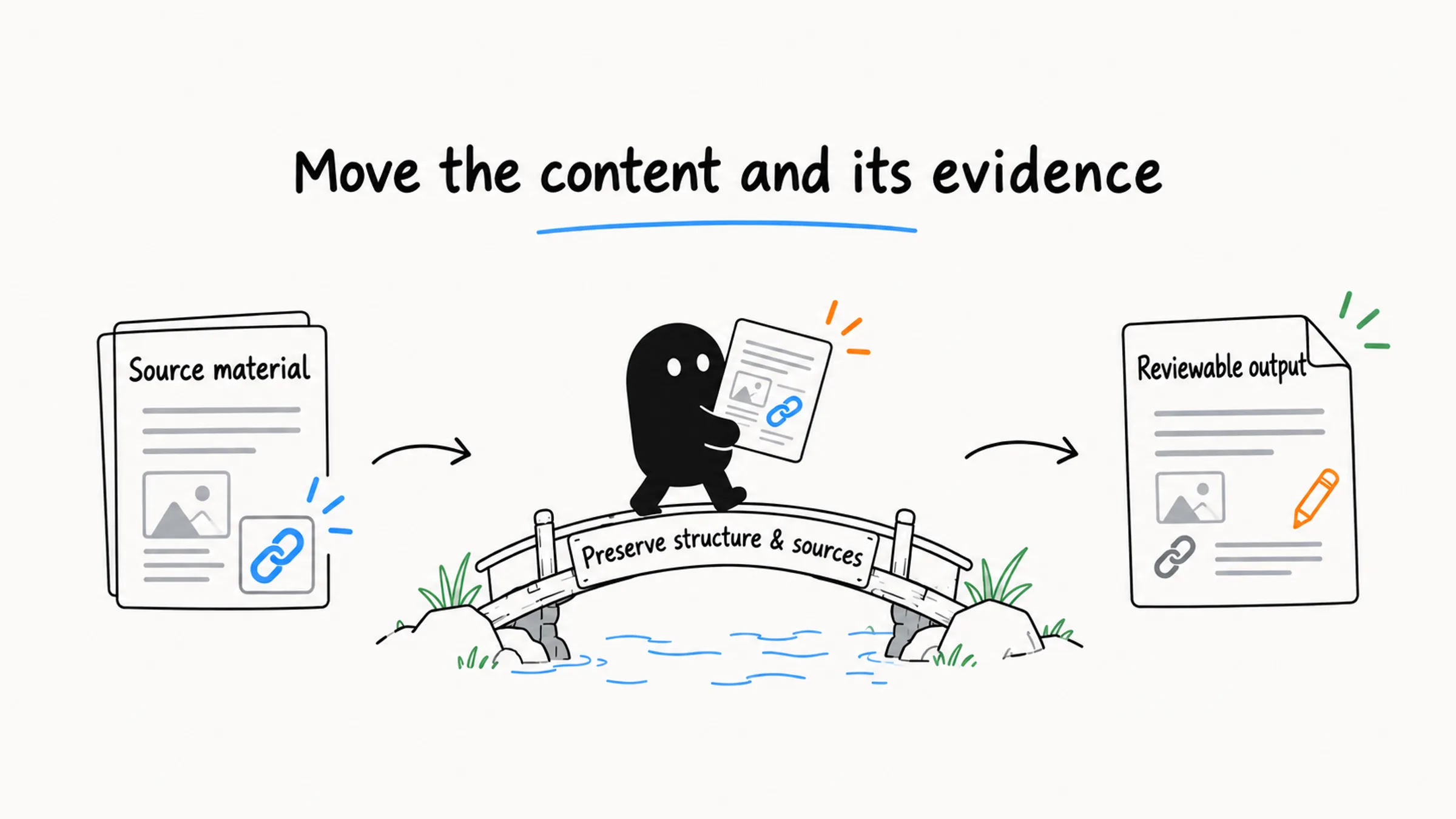
You can also separate writing from publishing: write and revise in Markdown, check structure, links, and code blocks, then convert for the target platform. If the target only accepts plain text, use Cmd+Shift+V or your system's "Paste and Match Style."
Once the material is processed, where you put the result also affects how well you can check it. Saving and editing long Claude Code outputs covers that half.
To judge whether you have enough material, ask whether it can support the conclusion you need. That "refactoring lessons" summary needed one thing to come out right: the real transcript.