
DeepDojo.AIPublished 2026-11-12中文
Why Claude Code Denies a Command You Allowed
You want Claude Code to list your S3 buckets without asking, so you add allow: Bash(aws s3 ls) to your permissions. The next time it runs that command, it's denied anyway. After digging through your configuration, you find an older rule in another file: deny: Bash(aws *).
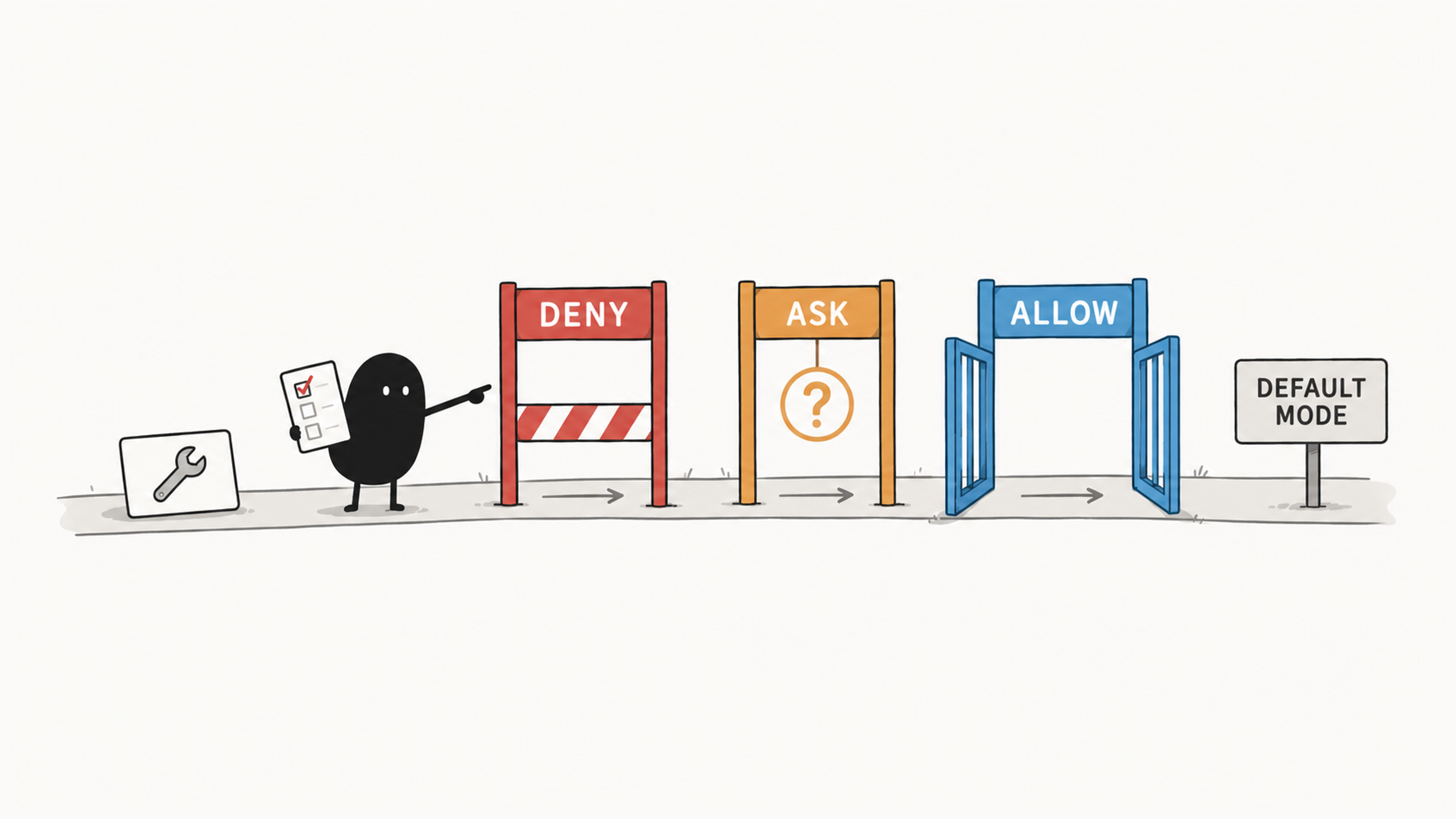
Many people expect the more specific rule to win, the way a more specific CSS selector does. Claude Code doesn't work that way. It looks at which kind of rule matched before it looks at anything else:
- it checks
denyfirst, and a match means the call is refused; - then
ask, and a match means you're prompted; - then
allow, and only a match here runs the call directly; - if nothing matches, the current permission mode decides.
Rules can also come from user, project, local, and organization settings, and they're merged together, which makes a single JSON file even less reliable as a guide. The way through is to run your common commands through this order on paper, use /permissions to see the merged rules and where each came from, and then test with harmless samples to confirm that allow, ask, and deny each behave as you expect.
01 Set Permissions by What an Operation Actually Does
Base permissions on what an operation actually affects. Low-risk operations you've already reviewed and scoped can run directly. Reasonable operations that change state should still ask. Actions that are clearly off limits go in deny rules.
When you review, look at the files, scripts, dependencies, network, and external systems involved. The same command name can do different things over time.
Permission rules live in the permissions object in Settings:
{
  "permissions": {
    "allow": [],
    "ask": [],
    "deny": []
  }
}
The three kinds of rules mean:
| Result | Behavior | Good For |
|---|---|---|
allow | Runs on a match with no prompt | Frequent, low-risk, well-scoped operations |
ask | Prompts you every time it matches | Legitimate operations that change the environment or external state |
deny | Blocks the call; no one-time approval can let it through | Secrets, production operations, and clear no-go areas |
02 Rules Are Checked in a Fixed Order
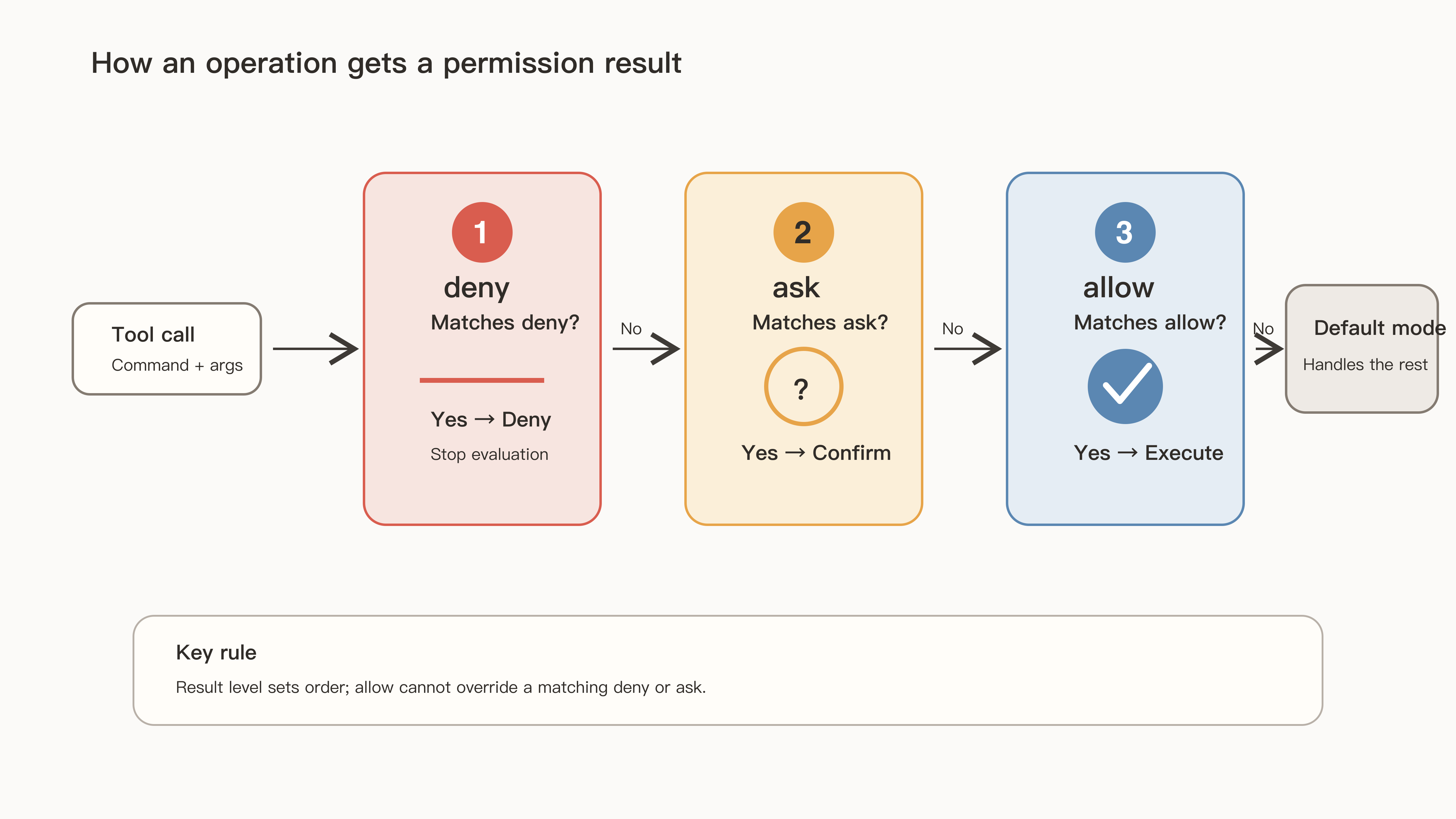
Claude Code checks rules in this order:
deny
  ↓ no match
ask
  ↓ no match
allow
  ↓ no match
use the current permission mode's default
The kind of rule outranks how specific it is. A deny match refuses the call; with no deny match, ask and allow are checked next. A more specific allow rule can't get past a deny or ask rule that already matched.
The Claude Code permissions documentation puts it exactly this way: rules are evaluated in order, deny then ask then allow, the first match in that order determines the outcome, and rule specificity doesn't change the order. The official example is the same one from the opening: a broad deny rule like Bash(aws *) blocks every matching call, including calls that also match a narrower allow rule like Bash(aws s3 ls). An allow rule can't carve an exception out of a deny rule.
Run aws s3 ls through the order, and the first rule already matches, so it's denied. To permit only the list command, you have to drop the blanket deny, allow just that command, and let other AWS actions fall back to asking. If the rest must fail outright, build a stronger restriction with a Hook, the sandbox, or credential policy.
03 Run Your Common Commands Through the Rules
Suppose the current mode is default and the rules are:
deny:  [Bash(rm *)]
ask:   [Bash(git push *)]
allow: [Bash(git status), Bash(pnpm test *)]
Here is how four commands match:
| Command | Matching Process | Result |
|---|---|---|
git status | No deny or ask match; allow matches | Runs directly |
git push origin main | No deny match; ask matches | Prompts for approval |
pnpm vitest run | None of the three rule types match | Falls to default mode, which prompts for this kind of command |
rm -rf build | Deny matches first | Denied, with no one-time approval offered |
Work your frequent commands through the rules first. The table allows pnpm test *, but what actually runs is pnpm vitest run. The purpose is similar, the string is different, and matching follows the actual call. How wildcards, spaces, and compound commands affect the range is covered in 5 common gaps in Claude Code permission rules.
04 Rules from Several Files Are Merged
Permissions can come from user, project, local, and Managed Settings. allow, ask, and deny merge across scopes; a project file doesn't replace other sources wholesale.
A deny rule may be sitting in a different file. A user's deny can block a project's allow, a project's deny can block a user's allow, and adding allow locally still won't undo it. An organization can also use Managed Settings to set limits that neither individuals nor projects can get around. Why lists merge, and how that differs from scalar overrides, is worked through in which Claude Code settings file takes effect.
A common case: you choose "Yes, and don't ask again" on a permission prompt and still get asked the next time. The settings documentation explains why: that choice saves an allow rule to your local file, and a local allow doesn't outrank an ask rule from a project or managed file.
A project's allow rules add capabilities to the repository, so they apply only after you trust the workspace. deny and ask only tighten things and don't need that trust step. In the permissions documentation's words, permissions.allow rules in a project's .claude/settings.json grant capability, so Claude Code applies them only after you accept the workspace trust dialog for that folder; deny and ask rules aren't affected, since they only restrict.
Open /permissions to see the merged rules and their sources. A single JSON file only tells you part of the story.
05 Verify All Three Outcomes with Harmless Samples
After writing the configuration, open /permissions to check sources and the merged result. Then prepare three kinds of harmless samples, at least one each: should allow, should ask, should deny.
- Run an allowed check command and confirm it runs directly.
- Temporarily add
askfor a harmless command, and cancel once you see the full prompt. - Prepare a test file with no secrets and confirm that reading it hits the path denial.
- Combine commands with
&&or a pipe and check the result for each segment. - Run
/doctorto check spelling, tool names, and Settings syntax.
Harmless samples are enough to test how the rules match. Keep real secrets, production databases, and irreplaceable files out of it. If a result is wrong, check the sources, the command string, the mode, and resource limits. Find the cause before deciding whether to change any permissions.
Back to aws s3 ls: run it through the order, and it hits Bash(aws *) at the very first step. Work it out, then test it, and permission results stop being guesswork.