
DeepDojo.AIPublished 2026-11-14中文
What to Do When Claude Code Edits Too Many Files
You type "build me a complete speech-to-text tool" into the terminal. It feels great. Claude Code gets to work with real enthusiasm: a dozen new files appear in moments, along with a string of audio and video dependencies.
Then an error shows up, and you're stuck. Was microphone permission denied? Did audio sample-rate decoding fail? Did the model weights stop downloading halfway? Or did the UI state update go wrong? Problems from several layers are tangled together, and you can't even tell where a clean rollback point would be.
When changes spiral like this, the cause usually sits in one of three places:
- At the start: the task was too big and never broken into pieces whose results you can check on their own.
- During the work: you asked it to "keep debugging until it's fixed" without saying what fixed means or when to stop.
- At the end: the tests pass, but the implementation picked up abstractions, files, and dependencies the goal never needed.
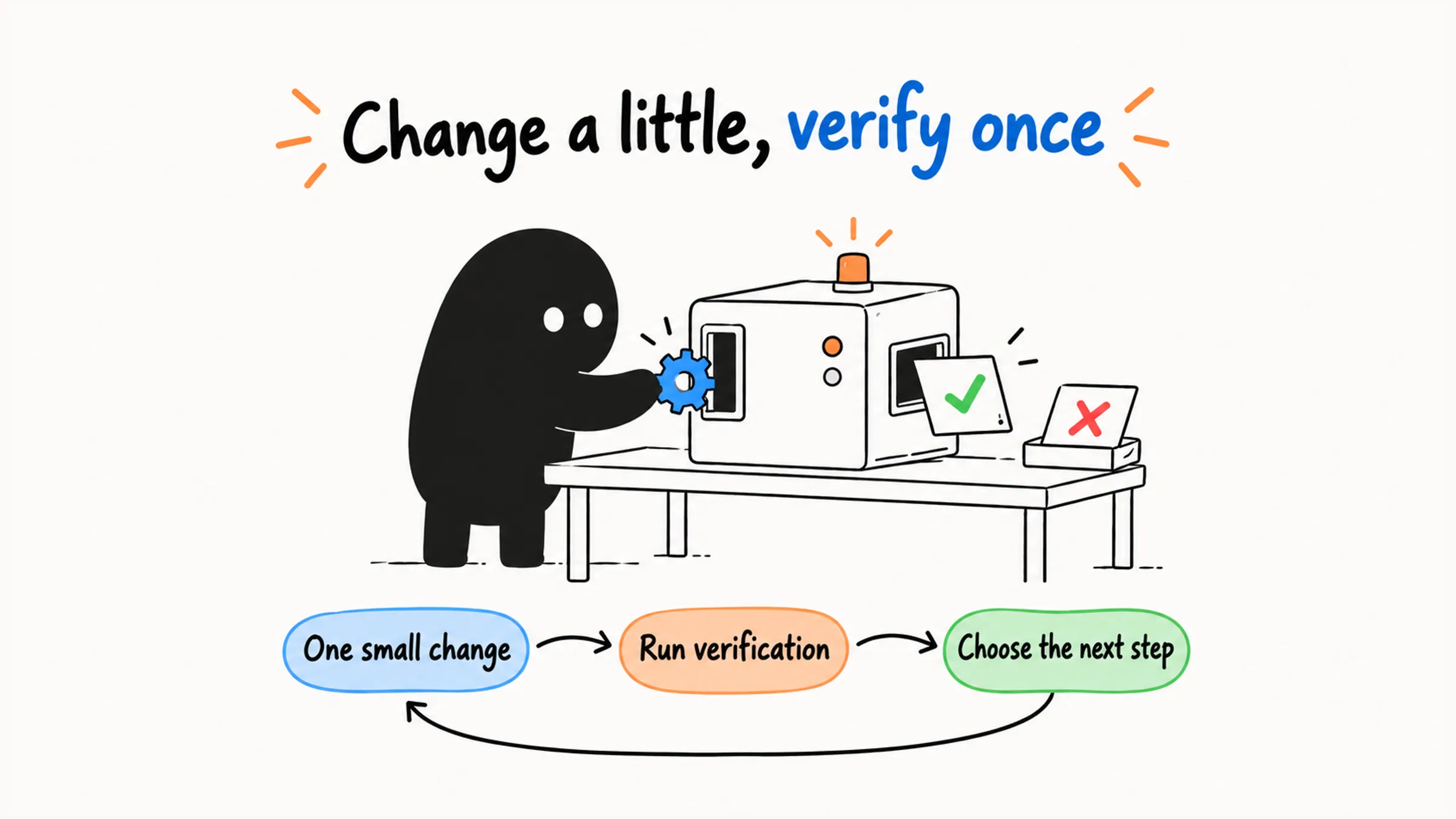
The way to keep changes in check is a loop: do one small step, verify it right away, then decide from the result whether to continue, adjust, roll back, or stop. Applied to the three sources, that means splitting the task small at the start, writing down success and stop conditions while working, and doing a round of subtraction at the end.
01 At the Start: Split Into Pieces You Can Verify
A task is done only when its result can be verified:
Understand the problem → Narrow the scope → Plan or test assumptions → Make a small change
    ↑                                                                        ↓
    └──────────────── Simplify and correct ← Check the evidence ←────────────┘
The safest move is to break a complex task into small tasks whose results you can check independently:
Complete app
  ├─ Download and load the model
  ├─ Record audio
  ├─ Turn audio into text
  ├─ Insert the text at the cursor
  ├─ Integrate the UI
  └─ Package and run end-to-end tests
"Turn audio into text" can be split further:
Read a local audio file
  → Call the transcription model
  → Output plain text
  → Handle the failure path
  → Verify with a sample recording
Once you're down to "read one local audio file and output its transcript," you can check the result with a sample recording before touching the UI or packaging. Use a recording with known content to check the transcript, then pass a file path that doesn't exist and see whether the error message makes sense. The first checks the success path; the second checks the failure path. For each step, also write down the goal, the scope, how to verify it, and how to roll back if it fails. Then when something breaks, you know which layer it's in.
What decides the split is whether each result can be verified independently. The number of steps or files matters much less. Split transcription into "write the reader function," "write the model call," and "write the output function," and if each one only has to be written, you can't judge whether any of them behaves correctly. Combine them into one small task, "audio in, text out," and now you can accept or reject it. A single function can be a small task too, as long as you state its input, expected output, and how to check it.
Many files don't automatically mean a task is hard to verify. Fixing the same well-understood error in bulk can be accepted with one shared check and a reviewable diff. Meanwhile, a change to a single file that touches recording, transcription, and UI at once makes it hard to tell which part broke.
These signs usually mean the task is too big:
- It's about to change a lot of files at once.
- You can't predict what happens next.
- You can't name a clear test or check that would accept the result.
You can ask Claude Code to tighten the task directly:
This task is too big. Don't write code yet. Split it into small tasks that can each be verified on their own, without splitting steps that depend on each other just to get more tasks.
For each task, give the goal, the files involved, how to verify it, and how to roll back if it fails.
Once the task is split, plan each piece. Enter plan mode with /plan or Shift+Tab so it explores before acting, and make the plan state both what it will do and what it won't: which files stay untouched, which dependencies stay out, which side paths wait for later, and which actions need your approval.
Don't write code yet. Explore the project structure and give me an implementation plan, the files involved, the risks, and the verification steps.
Also list what's explicitly out of scope and the questions I need to decide. Wait for my confirmation before changing anything.
Claude Code can also help with video-to-GIF conversion, batch transcription, CSV analysis, file renaming, disk usage analysis, PDF-to-text, media processing, and GitHub CLI tasks. The task type changes; the boundary rules don't. Anything that deletes, overwrites, uploads, installs, or touches a remote should be investigated first and wait for your go-ahead:
Investigate first; don't change anything.
If something involves deleting, overwriting, uploading, installing, or pushing to a remote, list the impact and how to recover, and wait for my confirmation.
02 During the Work: Get Evidence After Every Change
"Keep debugging until it's fixed" defines neither success nor a stopping point. Claude Code may keep trying, mixing the original problem with its own later edits until the whole thing is a mess.
Have it check the result after every change before deciding the next step:
Form a hypothesis
  → Make a small change
  → Run the verification command
  → Read the result
  → Decide: continue, roll back, or stop
The Claude Code best practices docs put it plainly: give Claude a check that comes back pass or fail, and it can close the loop on its own. Give it nothing, and it stops when the work merely looks done, which makes you the test suite.
So write the verification and stop conditions into the prompt:
Debug this issue. Test only one hypothesis at a time, and run the specified tests after each change.
It's done only when the tests pass, the output matches expectations, and the diff has no unrelated changes.
Stop after three failed attempts in a row and summarize the hypotheses tested, the results, and what's still uncertain.
This kind of loop suits git bisect, flaky-test hunting, CI fixes, sample-based script checks, and browser automation.
tmux can turn an interactive terminal program into something you can observe repeatedly:
tmux kill-session -t test-session 2>/dev/null
tmux new-session -d -s test-session
tmux send-keys -t test-session 'claude' Enter
sleep 2
tmux send-keys -t test-session '/context' Enter
sleep 1
tmux capture-pane -t test-session -p
test-session is a dedicated test session, and the first command ends any existing session with that name. tmux keeps the process alive, and capture-pane brings back the terminal output. The short pauses just give it time to start; the next step should still depend on what the output actually shows.
Browser tasks need visible evidence too:
Open the page with Playwright or Chrome DevTools.
Read the accessibility tree, DOM state, and network errors first; use coordinate clicks only as a fallback.
At each step, report what you observed before choosing the next action.
When you can't verify in the real environment, look for substitute evidence that answers the current question: a Windows CI job for platform behavior, a draft PR to see check results, a minimal demo for a third-party library, or a minimal repro plus a monkey patch to isolate a dependency. Record what each check actually covered, so you know whether real-environment verification is still missing. How deep each check should go depends on what a mistake would cost; four levels of review for AI-written code covers exactly that.
03 At the End: Remove What the Goal Didn't Need
Once the task passes verification, check whether the implementation went beyond the goal. Common forms of overbuilding: editing unrelated files, adding complex abstractions to a simple problem, extra configuration, designing for imagined future needs, and unnecessary dependencies.
A familiar example: the requirement is just "group a list of email addresses by domain." A ten-line loop does it cleanly. Instead, the AI produces a strategy-pattern interface, an abstract extractor class, a dynamic parser factory, and four or five files that reference each other. The tests are green, but anyone maintaining it has to hop through four layers of inheritance just to find the core logic.
Ask what that design is really worth. Has any of those abstractions been reused even once in the current system? If the whole design exists only for an extension that might come someday, cut it. Code is written for people to maintain. The plainest, flattest code that solves today's problem is far easier to maintain than scaffolding nobody uses.
Have Claude Code justify each change before trimming:
Review the complexity of this implementation and list:
1. Changes required to meet the goal.
2. Changes added along the way that don't affect the goal.
3. Abstractions that can be removed or merged.
4. Unnecessary dependencies.
5. A smaller implementation path.
Then ask:
Without changing behavior or test results, remove unrelated changes and reduce abstractions and file changes.The same applies to documents: cut repeated summaries, keep the specifics, and make every paragraph earn its place.
04 Three Questions Before Each Round Ends
Using the speech-to-text tool as the example, ask yourself at the end of each round:
- Did this round handle only the small task we agreed on?
- Did the sample recording verify the expected behavior, including the failure path?
- Did anything get added that this round didn't need, such as UI, files, or dependencies?
Move to the next round only when you can answer all three. When the task spans several sessions, the routes you've verified and the approaches you've ruled out need to come along too; how to keep earlier agreements across sessions covers what a handoff should include.
Rebuild that dozen-file tool at this pace, touching one small piece per round, and the moment an error appears you'll know which layer it lives in.