
DeepDojo.AIPublished 2026-11-12中文
Writing Custom Slash Commands for Claude Code
Before every commit, you ask Claude Code for the same three things: review the staged changes, sum up what was verified and what's risky, and draft a commit message. You type the request out every time, and now and then one part gets dropped. Turn that routine into /prepare-commit, and next time a single line starts it.
Making a slash command isn't hard. Drawing its boundaries is. A command written in a hurry tends to go wrong in predictable ways:
- with nothing staged, it still invents a commit message;
- you only wanted a draft, and it ran
git commiton the way; - the argument says "fix login," so it describes the change that way without checking the actual diff.
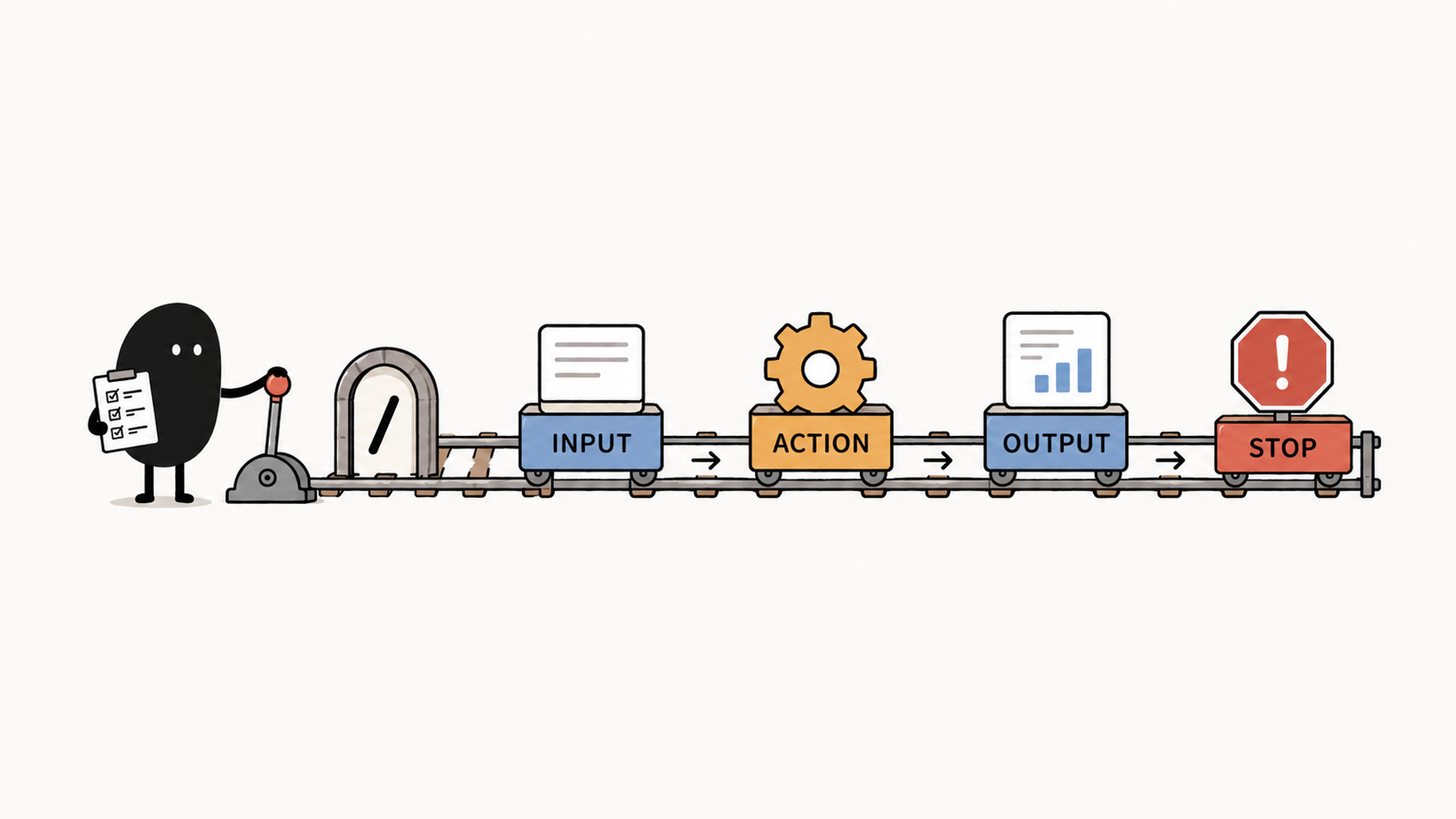
All three come from the same gap: the command has no contract. A reliable slash command answers four questions in order: what's the input, which actions are allowed, what comes back, and when must it stop. For workflows with side effects, you also decide when it starts. We'll first decide which workflows are worth a command, then use /prepare-commit to write those four answers into a SKILL.md.
01 Four Kinds of Entries in the Slash Menu
Entries in the slash menu run in different ways. They fall into four groups:
| Type | Example | What It Does |
|---|---|---|
| Built-in command | /clear, /compact, /model | Directly controls the Claude Code session or interface state |
| Bundled Skill | /debug, /simplify | Loads an official prompt and workflow that Claude carries out with tools |
| Custom Skill | /prepare-commit | Loads a workflow written for the project or by you; can be triggered manually or invoked by Claude, depending on configuration |
| Legacy custom Command | .claude/commands/review.md | Kept for older projects; also creates a /review entry |
For example, /clear changes session state directly, and editing a Skill prompt won't change it. /debug loads a troubleshooting method, and what follows depends on the prompt and tool permissions. Different entry types mean different places to look when something goes wrong.
When you see the word "command," check what it means. Sometimes it refers to any slash entry, and sometimes specifically to the old .claude/commands/ files. The Claude Code skills documentation is clear on this: custom commands have been merged into skills. A file at .claude/commands/deploy.md and a skill at .claude/skills/deploy/SKILL.md both create /deploy and work the same way, and existing command files keep working. Write new workflows as Skills so the manual entry, scripts, templates, and references live together.
02 Which Workflows Deserve a Command
A workflow suits a command when it recurs and its inputs, allowed actions, results, and stop conditions are fairly stable. Drafting commit messages, summarizing test failures, and checking an API schema can all be judged against those conditions.
Ask whether packaging it will save you from making the same judgment next time. A one-off change is easier to just describe. If the review criteria are still shifting, try them on real tasks first, and save the workflow once the inputs, steps, and standards settle.
Giving a complex request a short name like /build-payment doesn't settle the scope or design of a payment system. While a request is still being explored, work through the key decisions in conversation, then decide which parts are worth reusing.
The Claude Code best practices call this kind of content team procedure: a more capable model knows more about engineering, but not how your team does a release, what your incident runbook says, or how you want API docs written. That knowledge goes in a skill. The guide adds that the CLAUDE.md rule applies to skills too: only write down what Claude can't find on its own.
03 A /prepare-commit That Drafts but Never Commits
Here is a /prepare-commit that analyzes only the staging area and never commits:
.claude/
└── skills/
    └── prepare-commit/
        └── SKILL.md
The SKILL.md can look like this:
---
name: prepare-commit
description: Check staged changes and draft a commit message following project conventions
disable-model-invocation: true
argument-hint: "[optional: purpose of the change]"
allowed-tools: Bash(git diff *), Bash(git status *)
---

Analyze staged changes with the user's stated purpose: `$ARGUMENTS`

1. Run `git status --short` to identify staged files.
2. If this is not a Git repository, a command fails, or nothing is staged, explain and stop. Do not invent a commit message.
3. Check scope with `git diff --cached --stat`, then read staged differences by file. If a possible credential appears, report its file location without repeating the secret value and stop preparation.
4. Explain the main behavior changes, potential risks, and missing validation. Draft a concise commit title and necessary body.
5. End after returning the draft. Do not stage, commit, or push.
After saving it, type this in Claude Code:
/prepare-commit fix refresh token invalidationThe text at the end, "fix refresh token invalidation," is passed in full as $ARGUMENTS. The purpose of each change varies, while the method for checking staged changes stays the same, so the purpose becomes an argument and the method stays in the Skill. Next time, you only supply what changed.
Arguments should carry only what varies between runs. Besides $ARGUMENTS, you can use $0 and $1 by position, or declare named arguments in the frontmatter:
argument-hint: "<component> <base-ref>"
arguments:
  - component
  - base
The body can then use $component and $base.
04 Spell Out Input, Actions, Result, and Stop Conditions
A reliable command answers four questions in order:
What is the input?
    ↓
Which actions are allowed?
    ↓
What result comes back?
    ↓
When must it stop?
This entry ends at the draft. It takes the staged diff and an optional purpose, checks the state, and returns a risk summary and commit message. If nothing is staged, a possible secret turns up, or a Git command fails, it stops. Whether to commit is still your call.
While drafting, check two kinds of scope:
| What You See | What to Do |
|---|---|
| A fix is staged, and an unrelated refactor is unstaged | Describe only what's staged for this commit |
| The argument says "fix login," but the staged diff has no such change | Point out the mismatch and judge from the actual diff; never invent a change |
The argument hint doesn't validate anything by itself. The docs explain that a named argument with no matching input expands to an empty string. So when an argument is missing, a target doesn't exist, or the format is wrong, the body has to explain and stop on its own. Inputs like deployment environments and resource IDs should never get a convenient default.
05 You Start Workflows That Have Side Effects
Deploy, release, and cleanup workflows that change external state usually set disable-model-invocation: true, so you decide when they start. This example only drafts, but it still leaves the timing to you. The docs use /commit, /deploy, and /send-slack-message as examples, and the reasoning is blunt: you don't want Claude deciding to deploy because your code looks ready.
Internal material that only Claude should consult can set user-invocable: false. It then disappears from your menu, and you can't run it by typing the command. The full difference between the two settings, and when Claude invokes a Skill on its own, is covered in why a Claude Code Skill won't trigger.
Commands still follow the underlying permission rules. allowed-tools only grants prompt-free use for the current turn; if a call matches a deny rule in project or user settings, it's still blocked.
Even when permissions are wide open, keep preparing and committing apart. If you ask it to "prepare a commit," it should only analyze and draft, even if tools allow git commit. And if you do ask it to commit, a tool denial still applies. Starting a command manually only decides when it begins; it doesn't approve every side effect inside. Act only when both the task authorization and the tool permission allow it.
06 When Migrating Old Commands, Build the New One First
.claude/commands/deploy.md still provides /deploy, but once a Skill with the same name exists, the Skill wins. The docs say so in their rules for name conflicts: when a skill and a file in .claude/commands/ share a name, the skill is used.
Before migrating an old entry, find out which version your team currently uses. Build and verify the new Skill first, then remove the old file, so the version change is visible and nobody ends up using a different method during the switch. Give commands names that state the action, like /review-api-change, so the name alone says what it does.
Once the new command is written, check /skills to confirm it was discovered, then test with and without staged changes. With staged changes, it should return a matching draft; with none, it should explain and stop. Both meet the contract. Inventing a summary from nothing doesn't. If it's missing from the menu or a different version runs, see Claude Code Skill missing from the slash menu?.
The entry stays short and the method lives in the Skill. Keep preparing and executing separate, and the commit itself stays your decision.