
DeepDojo.AIPublished 2026-11-12中文
How to Split a Long SKILL.md File
A code review Skill has been in use for a few months, and its SKILL.md keeps growing. The review steps come first, then a forty-item checklist, then five good examples and five bad ones, and finally a shell script for collecting diffs. Every invocation pulls the whole thing into context, and the few steps Claude should read first get buried in the middle.
Worse, once a Skill loads, its body stays in the conversation, so a longer file adds cost to every turn that follows. Split everything out, though, and you hit the opposite problem: when Claude needs to judge severity, it doesn't know which file holds the standard, so it goes by feel.
Organizing a Skill means placing three kinds of content:
- inputs, key judgments, steps, and stop conditions needed every time stay in
SKILL.md; - checklists, examples, and scripts needed only at certain steps go in supporting files, with a note on when to read each one;
- live information that has to be fetched fresh, like Git status or the current branch, comes in through dynamic injection, limited to what the next step needs.
The sections below follow how a Skill loads and put each kind of content in its place.
01 How a Skill Enters Context Step by Step
Packaging a stable, repeatable method as a Skill lets it load for relevant tasks. CLAUDE.md holds the project conventions every session needs; longer task methods load on demand:
The session normally sees only the Skill name and `description`
  → a task matches, or the user invokes it explicitly
Load `SKILL.md`
  → read references, examples, or scripts as needed
  → follow the Skill's method and verify the result
Once loaded, the body stays in the current session, and later turns don't reread it from disk. Editing the file doesn't replace the old version in history. Invoking it again with identical content usually doesn't insert another full copy, but if arguments or dynamic output change, the full text may be added again.
The Claude Code skills documentation treats this as the first constraint on writing the body: once a skill loads, its content stays in context across turns, so every line is a recurring token cost and the body should stay concise. The official guideline is to keep SKILL.md under 500 lines and move detailed reference material to separate files.
The Claude Code best practices compare this with CLAUDE.md: for a skill Claude can start on its own, it sees the name and description in every session but only reads the full file when the task calls for it. A long release procedure sitting in a skill doesn't weigh on your unrelated bug fix.
02 What Stays in the Main File, What Moves Out
A mature Skill can be split by responsibility:
review-changes/
├── SKILL.md
├── checklist.md
├── examples/
│   ├── valid-finding.md
│   └── rejected-finding.md
└── scripts/
    └── collect-diff.sh
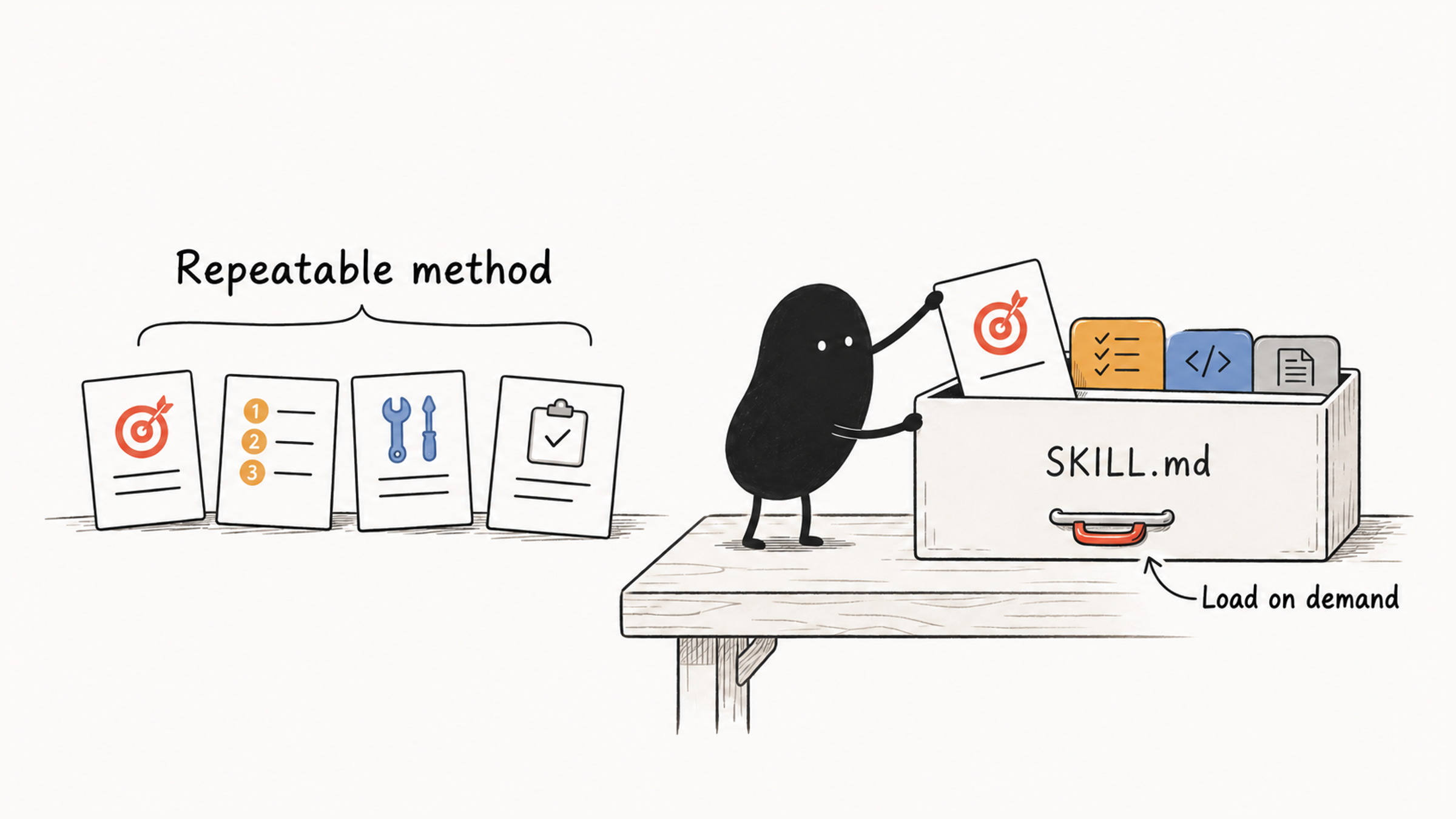
The main file keeps inputs, key judgments, steps, and stop conditions. Long checklists, examples, and scripts go in supporting files, with a note on when to read them, for example "read checklist.md before starting the review; check examples/ when unsure whether a finding holds."
The official guidance says nearly the same thing: supporting files keep SKILL.md focused on the essentials while letting Claude read detailed material only when needed, so large reference docs, API specs, and example collections don't have to load every time. The docs also single out scripts: files in scripts/ are executed, not loaded into context. To let Claude know what each file holds and when to read it, reference them from SKILL.md.
03 After Splitting, Walk Through One Review
After splitting, walk through a single review. Can Claude reach the standard before judging severity? When unsure about a finding, can it find an example? Splitting files is only useful if Claude can find and read them when it needs them.
Once that forty-item checklist moves into checklist.md, SKILL.md needs a line like "read checklist.md before starting the review." Without it, splitting just hides the standard. Whether the Skill shows up at the right moment is a separate question, covered in why a Claude Code Skill won't trigger.
04 Bring In Live State with Dynamic Injection
Some state has to be checked fresh every time, such as the Git diff, the current branch, or dependency versions. You can have commands run first and put their output in the Skill:
## Current Branch
!`git branch --show-current`

## Staged Change Summary
```!
git diff --cached --stat
```
Shell commands marked with an exclamation point run before the model reads the body. ${CLAUDE_SKILL_DIR} locates scripts bundled with the Skill, and ${CLAUDE_PROJECT_DIR} locates project scripts. The docs point out that injected commands run in the session shell's current working directory, which moves when Claude runs cd, so paths that must resolve the same way every time should use these two variables.
Injected content should be read-only, short, and capped in output. If preprocessing fails, the body may never load: the docs say a failed injected command aborts the entire invocation, and Claude never sees that run's Skill content. For a check script you expect to exit non-zero, append || true. When an organization disables preprocessing, provide an alternative step that queries the state after the method loads.
Dynamic commands run before the model sees the body, so treat them as executable code when you review someone else's Skill; see why allowed-tools doesn't make a Skill read-only.
05 Inject Only What the Next Step Needs
When choosing what to inject, ask what the next step will do with it. git diff --cached --stat gives an overview, enough to decide which file to read first. A full patch can run to hundreds of lines; read it by file once you've narrowed the scope. Keeping the state you always need apart from material you need later keeps context focused.
| Content | Where It Goes | When It Enters Context |
|---|---|---|
| Inputs, key judgments, steps, stop conditions | SKILL.md | Every invocation |
| Checklists, good and bad examples | Supporting files | At the step the body names |
| Scripts that collect data | scripts/ | Executed; only the output enters |
| Current branch, change summary | Dynamic injection | Every invocation, before the body |
| Full patch | Read by file | After the scope is chosen |
What's needed every time goes in the main file, what one step needs gets a note on when to read it, and live state is limited to what the next step uses. Split that bloated review Skill along this table, and SKILL.md becomes short enough to read at a glance while the standards and examples stay within reach. Afterward, verify the result as described in Claude Code Skill missing from the slash menu?.