
DeepDojo.AIPublished 2026-11-09Updated 2026-11-09中文
Claude Code Session Getting Messy? Clear or Compact
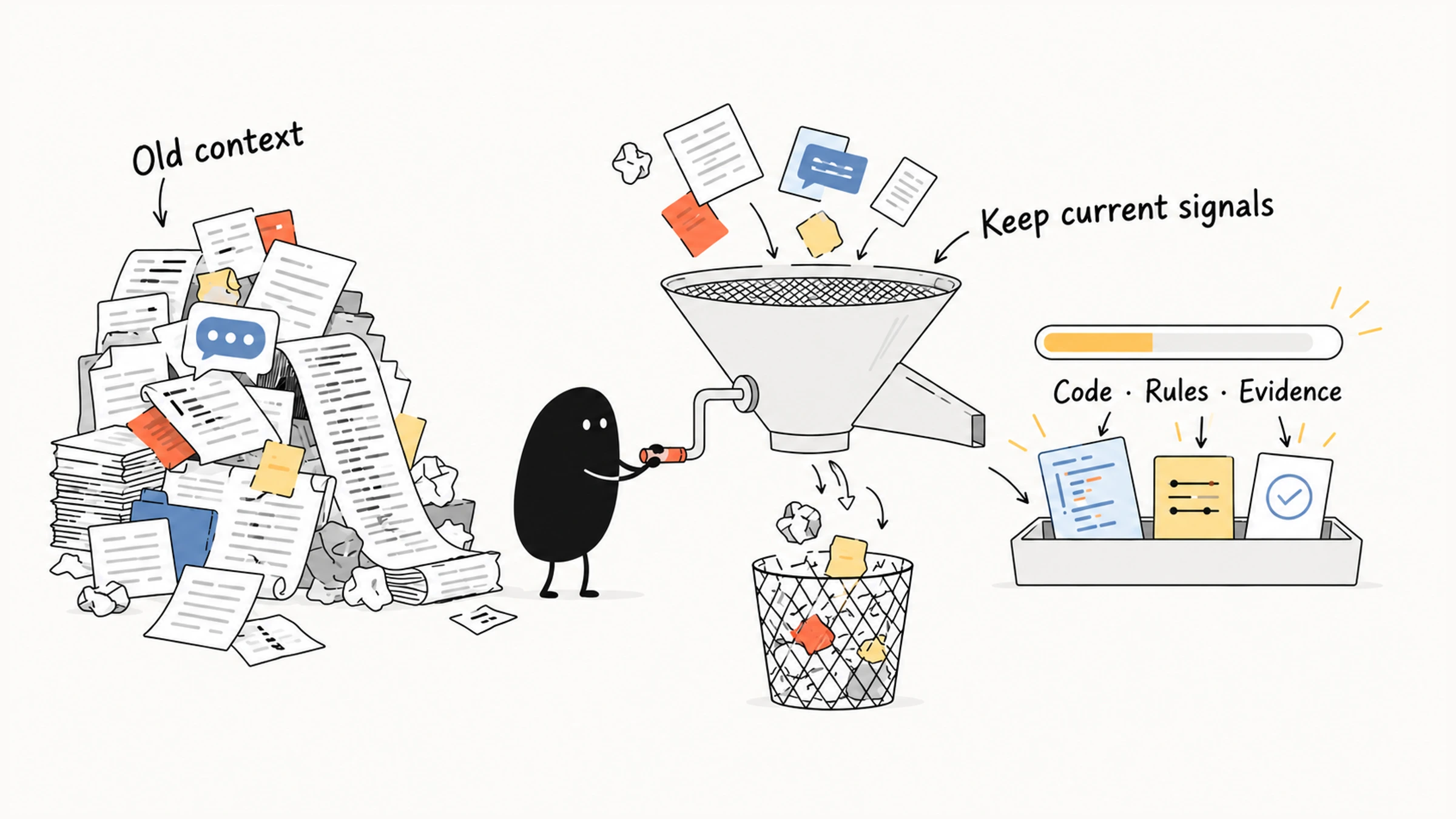
In one session you ask Claude Code to debug a login problem, drift into page styling, and come back to session restoration. Along the way it reads long logs and old configuration and rejects two approaches.
Then it proposes approach A again, the one you already ruled out, and a single test run floods the session with thousands of lines. You hesitate. Run /clear and start over? Run /compact?
Write a handoff file first?
Most people call this "the context is full," but two different things can be going on:
- the window may be nearly out of room
- the information in it may have gone stale and tangled, with old goals, outdated logs, and rejected approaches sitting side by side
A bigger window helps the first and does nothing for the second. Treat them as one problem and you end up clearing what should stay or compacting away the conclusions you still need.
So the order matters. Find out where the interference comes from, keep unneeded content from flooding back in, and only then choose between clearing, compacting, and a handoff.
The sections below cover how to control test output while keeping the real exit code, what a handoff file needs so someone else can continue from it, and how to confirm the task state survived the cleanup.
01 Separate limited space from confused evidence
When the window is nearly full, important information may struggle to stay in. When there's plenty of room, old goals, outdated logs, and rejected approaches can still muddy the judgment. A bigger window won't untangle those conflicts. Organizing the information will.
Context engineering organizes relevant, accurate, sufficient information, with a clear status, for the current decision. Anthropic's engineering blog covers the idea in depth. Capacity decides how much fits, and organization decides which of it is still valid. Check the two separately.
Claude Code assembles the available context for every model request. For management purposes, the content falls into three groups:
| Type | Examples | What to examine |
|---|---|---|
| Fixed or semi-fixed content | System instructions, loaded tool definitions, CLAUDE.md, memory, rules | Whether it's still useful, duplicated, or outdated |
| Dynamic task content | User requests, earlier discussion, files read, loaded Skill bodies | Whether it belongs to the current task and keeps decisions apart from hypotheses |
| Tool output | Test logs, search results, git history, build output | Whether it keeps the decision evidence instead of burying it in irrelevant detail |
Tool output is dynamic too. It gets its own row because it can suddenly become very long. Configuration decides when rules and extensions load, so the current session's loading record is the place to see what has actually loaded.
As the window nears its limit, Claude Code manages old tool results and compacts the conversation when needed, so work can continue. A summary drops detail. The reasons behind architecture decisions, early temporary constraints, and failed attempts may survive only in fragments. The conversation carries on, so check that these key facts are still there.
02 Find the context that needs attention
When a session's state feels unclear, start with /context to see usage, then judge relevance from the actual loading, reading, and action records. Usage numbers only show how much space is taken. Whether a conclusion has gone stale is a question for the record. A slow reply can also come from the model, the network, or a tool wait.
This example has two problems: test output is too long, and the rejected approach A is back in the reasoning. The first needs tighter output from now on. The second needs the reason for the rejection stated again. Before compacting, write down the current goal, the confirmed facts, the rejected approaches, and the unverified changes. Otherwise you shrink the text and keep the wrong state.
If the same stale project rule keeps coming back, fix the source that loads it. Compact the old history and the next load brings the old rule right back. A single cleanup may need to clarify the existing state, control future input, and then choose the right way to clear.
| Observed source | Direction | Why |
|---|---|---|
| One task has piled up a lot of exploration | /compact at a stage boundary, handing off first if needed | Keeps the current state and drops process detail |
| The work switched to an unrelated task | /clear or a new session | The old goal is no longer the current basis |
| A single tool call returns too much | Limit later output and keep the log location | Stops the next turn from filling the window again |
| Always-loaded instructions are bloated | Split rules by scope and Skills by task | Cuts duplication at the source |
| Many idle MCP servers and extensions | Check and disable unneeded ones with /mcp and similar entry points | Reduces tool discovery, selection, and context cost |
| Large independent exploration | Hand it to a well-bounded Subagent | The main conversation keeps the summary and key evidence |
A long output that has already appeared stays in the history, and a shorter command run afterward leaves it there. A long rule that reloads every turn returns after one compaction. So treat these as two jobs: dealing with what's already in the conversation, and keeping new noise out.
03 Control tool output and keep the evidence
One full test run can return thousands of lines:
running 262 tests
test auth::test_login ... ok
test auth::test_logout ... ok
...
The next step usually needs the overall result, the failing cases, the key stack trace, the exit status, and which file to read. A long run of passing tests makes the search harder, yet the full log may still hold details a later investigation needs. Save the raw output to a file, and give the session a summary plus a way back to the log.
Confirm the project's test command first, then decide what output enters the session. How to run the tests and how much log to return are separate questions, and running the tests serially leaves the log volume unchanged.
Cutting off the tail of the output can lose both the failure clues and the real exit status:
npm test 2>&1 | tail -80A standard shell pipe usually returns the status of the last command, so if tail succeeds, the pipeline can return 0 even when the tests fail. Save the raw log and the test status first, then show the summary:
test_status=0
npm test > /tmp/claude-test.log 2>&1 || test_status=$?
tail -n 80 /tmp/claude-test.log
printf 'test exit code: %s\n' "$test_status"
exit "$test_status"
This saves the test status, prints the tail, and returns the original status as the script's result. Even when the tail holds only a summary, the log path leads back to the failing stack traces. A fixed log name is fine for a one-off example. When runs go in parallel, give each its own file so one run doesn't overwrite another's evidence.
Project scripts or output filters can produce structured summaries too. A summary should trace back to the raw output, and trimming it should still leave the bad news in. Different tasks need different summaries:
| Scenario | Keep first |
|---|---|
| Tests | Failing cases, stack traces, exit code, and the full-log location |
| Search | Matching files, line numbers, and enough context to judge |
| git log | Commits and change reasons relevant to the current problem |
| Build | The first key error, module name, and exit status |
| Logs | Time window, exceptions, request IDs, and related records |
The test of any output is whether it lets you decide the next step. If a summary falls short, expand the part you need.
04 Clear, compact, or hand off
When you switch to an unrelated task, clear. Once the login task is done and unrelated page work begins, /clear wipes the session context. It doesn't undo changes on disk or delete persistent project rules, and the configuration still decides which instructions load next. If the page task depends on an interface you just changed, save the interface conclusion and its verification state before you switch sessions. Whether to clear depends on dependencies, and a new task title doesn't always mean a clear is due.
While one task moves forward, compact. Once the cause is found and the next step is to build the agreed fix, /compact summarizes the exploration. It keeps selected parts of the session and frees space to continue toward the same goal. A summary can drop or weaken "why approach A was abandoned," "which test still can't run," and "which files must stay untouched." When those matter, name the compaction focus and check the state afterward. You can also write what to preserve into CLAUDE.md as Compact Instructions ahead of time.
To keep state across sessions, use a handoff file. HANDOFF.md is simply a file name your team agrees on. Once the needed state is on disk, the receiving session still has to be told to read it, and it should check the contents against the current files.
Clearing suits a switch to unrelated work, compaction suits continuing the same task, and a handoff suits state that needs review or has to survive across sessions. They combine well: hand off the necessary conclusions, then clear and start the next task.
05 Write a handoff someone can continue from
A handoff lets the receiver see the current state at once and go back to the exploration when needed. Keep at least:
- the current goal, scope, and temporary constraints;
- key files and confirmed facts;
- approaches tried, approaches that worked, and why rejected ones were rejected;
- changed files and the intent of each change;
- verification commands, results, and checks that didn't run or were blocked;
- unresolved risks and the next action.
Here is a constructed handoff excerpt. Its paths and test names are teaching examples:
# Session-restoration investigation handoff

## Current goal
Fix the anonymous session being recreated after a refresh.
Leave the login UI unchanged and preserve explicit logout behavior.

## Confirmed facts and rejected approaches
- `refresh-session.test.ts` reproduces the session ID changing after refresh.
- The restoration call chain has been checked; it does not pass through `legacy/login.ts`.
- Approach A (continue editing the old login module) was rejected because it is outside the failing path.

## Changes
- Modified the restoration branch in `src/auth/restore-session.ts`.
- Intent: reuse an existing valid session rather than immediately creating a new one.
- The proposed root cause still needs confirmation by retesting.

## Verification state
- The refresh test failed before the change.
- That test has not run since the change.
- Explicit logout has not been checked.

## Risks and next steps
- Check the current branch and diff to confirm that these changes are still present.
- Identify the test entry point from the project scripts, then rerun the refresh test.
- Check explicit logout next; a passing refresh test alone is insufficient to declare completion.
The handoff keeps "changed" apart from "not yet verified," so the receiver knows a recheck is still due. Recording why an approach was rejected saves the next person from repeating the investigation. Write "changed" for changes and "tests passed" only for passing tests. Describe the real state in plain facts, and skip vague phrases like "basically done."
When you finish, check the goal, the changes, and the verification state against each other. After a new session reads the handoff, it should also confirm that the current branch, working directory, and files still match, since files can change between sessions. A handoff is a starting point, and the receiver still confirms the state.
06 Isolate noisy exploration before it starts
Everything so far deals with information already in the session. If you're about to scan a lot of code, you can decide up front which parts of the process stay in the main conversation.
A Subagent's separate context can take on a noisy but well-bounded exploration. Say the main conversation has decided to inspect the restoration entry point and still needs to find its callers. That read-only search can go to a subagent:
Find callers of the session-restoration entry point without modifying files.
Return relevant paths, call relationships, supporting evidence, and unconfirmed items.
Keep the full exploration history in the subtask; do not paste large blocks of source code.
If files are inaccessible, describe the gap without guessing their call relationships.
What comes back should be something the main conversation can act on. "Callers are in three files, each with these responsibilities" beats "search complete," and the main conversation can still open those files to verify. If the summary is so short that the evidence is gone, the main conversation has to start the investigation over.
This kind of isolation pays off when the subtask can produce a result on its own. If it has to wait on the main conversation after every file it reads, splitting is a poor fit. Permissions and write isolation are handled separately in Parallel subagents: decide who edits which file.
Plan Mode answers a different question: when to start editing. For a complex task, explore and review a plan first, which cuts the rework from heading the wrong way. Noise already in the session still needs compaction or a handoff to clear out.
07 Confirm the task state after cleanup
Back to the login task. There's a lot of exploration history, and the next stage only has to recheck the changes. Check the state in the handoff above, then either compact with /compact or open a new session and tell it to read the handoff before continuing. The choice depends on whether you need a reviewable handoff that works across sessions, and whether the remaining history still has value.
After cleanup, look at the freed space, and also confirm that the session answers correctly: what changed, which result is still unverified, and which check to run next. If a reply turns "not yet run" into "tests passed," correct it against the original record and then continue.
When conditions change, the choice changes too:
| New situation | Suitable adjustment | What to keep or check |
|---|---|---|
| The login task is done and unrelated page work begins | /clear or a new session | The finished changes are still on disk, and the new task carries no old constraints |
| The page task depends on the interface contract just changed | Hand off the needed interface conclusions, then switch | Interface behavior and verification state, without the whole debugging history |
| After compaction, the same test prints thousands of lines again | Tighten the tool-output source | Failure evidence, the real exit code, and the raw log location |
| A new session still loads the same outdated instruction | Fix the persistent source and confirm what loads | The rule version and the current project facts |
| The next step is a large, independent, read-only exploration | Consider a Subagent | A scoped summary that carries its evidence |
A session can grow long for different reasons, and the fix might be tidying history, updating state, correcting a rule, or tightening output. Find the content causing the interference, change how it enters or stays, then confirm the task can still continue. Only then is a round of context cleanup done.