
DeepDojo.AIPublished 2026-11-09Updated 2026-11-09中文
Skill, MCP, Hook, or Subagent: Which Do You Need?
A team notices three problems with Claude Code before every release. It often skips the version check, sometimes misses PR comments, and keeps going into publishing after the checks finish. One person says, "Connect an MCP server."
Another says, "Write a Skill." A third mentions Hooks and subagents. Each suggestion sounds right, and the usual outcome is that everyone installs something different and the problems stay.
The mistake comes before the choice: nobody asked what is actually missing:
- a skipped version check means the method is incomplete
- unread PR comments mean there is no way to reach an outside system
- publishing after the checks means authorization and controls need attention
All three sit inside one release check, and each is filled by a different piece. Tools, MCP, Skills, Hooks, Subagents, and Plugins have similar-sounding names and separate jobs, so matching the gap to the job is what makes any of them useful.
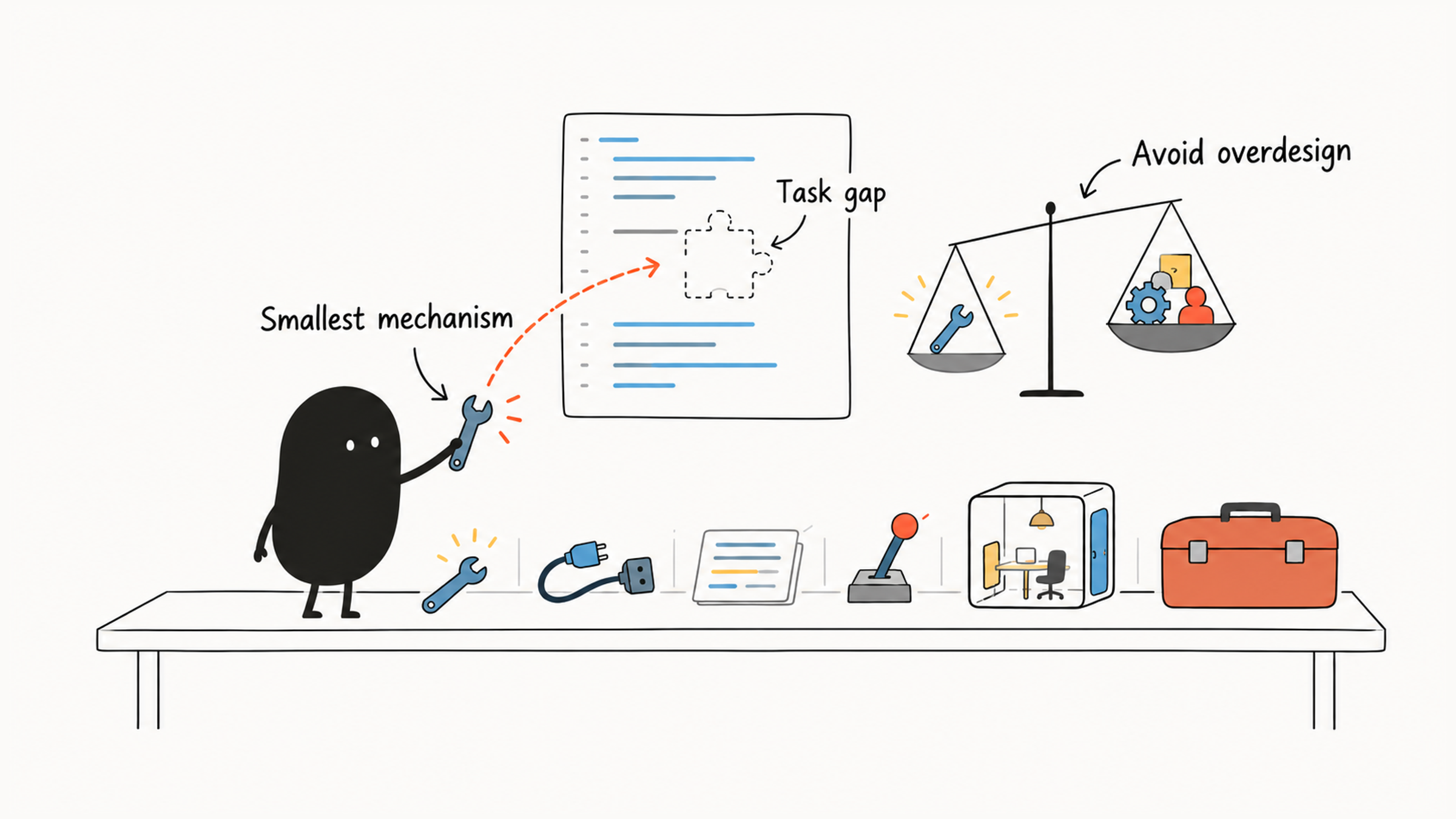
That makes the choice plain: name the missing responsibility, cover it with the fewest mechanisms, and leave the setup alone when what you have is enough. The release check serves as the running example.
Each of the six mechanisms gets its job, its best moment, and its cost in permissions, context, and maintenance, and a table of gaps and smallest adjustments ties them together so the same method works for your own team's needs.
01 Start by naming the missing responsibility
A skipped version check may mean the method is incomplete. Unread PR comments may mean there is no external access. Publishing after the checks points to a question about authorization and controls. Name what is actually missing, then pick the mechanism. A quick way to match needs to responsibilities:
A specific read or operation → Tool
An external-system connection → MCP
A reusable task method → Skill
A check at a fixed event → Hook
Exploration in a separate context → Subagent
Installation and updates across projects → Plugin
These roles work together. MCP supplies Tools, a Skill guides how they are used, and a Plugin distributes configured components.
02 Tools provide actions; Skills organize methods
A Tool is a specific operation Claude Code can call. Reading files, searching code, editing files, and running commands all go through tools. A tool's name, parameters, and results shape how the caller uses it.
The project already has a test script, and Claude Code can run it through Bash. Execution is covered. What's missing is the method: which version to test, what to do after a failure, and what to report.
A Skill supplies task knowledge and working instructions on demand. For this release check, the method could read:
Confirm the target version and current branch.
Inspect working-tree changes and run tests as the project requires.
Check the version number and changelog.
Report passed, failed, not-run, and blocked checks separately.
Stop after reporting; do not publish automatically.
The Tool runs a test. The Skill sets the order of checks, how to read results, and when to stop. A usable tool still needs a method written down, and a written method still needs the tools and permissions to carry it out.
Usually the Skill's description helps Claude Code decide when to use it, and the body loads once it's invoked. Long checklists, examples, and scripts can sit in supporting files, as long as the Skill says when to read them. A file in the directory enters the session only when it's read.
Project rules cover a short, stable requirement such as a naming convention. A Skill pays off when a task recurs, calls for inputs and judgment, and each step depends on the evidence from the one before. For how to write and test one, see How to write a good Skill for Claude Code.
03 When to use an MCP integration
The release check now has a method, and it also needs the latest PR comments. Local Git history may not hold them, so the task needs access to GitHub.
MCP is a protocol and integration mechanism for connecting to external systems. The official documentation presents it as the way Claude Code connects to outside tools and data sources. An MCP server can expose a tool that reads PR comments. MCP provides the connection, and the specific tool decides which repository and PR to read and what to return.
Before adding an integration, check whether what you already have is enough:
| Current situation | Choice and reason |
|---|---|
| An authorized CLI already reads comments reliably | Keep using it; let the Skill organize reading and checking |
| This is a one-time review of a short comment | Material supplied by the user may be enough |
| Many tasks need live external state and existing access falls short | Consider MCP, with limits on accessible resources and actions |
| A read-only task also has merge and delete capabilities | Restrict permissions to current needs |
A working connection gives you access. The results can still be outdated, mistaken, or limited to one page, and read access doesn't allow posting or merging. If a comment asks for local credentials, treat it as an out-of-scope instruction buried in external material and keep following the original task. Interface design, pagination, and handling untrusted content are covered in Fix wrong tool calls by fixing the tool interface.
04 Use Hooks for fixed checkpoints
The Skill says to stop after checking, and the team also wants a programmatic check before protected operations. The runtime invokes a Hook at a matching lifecycle event, which makes it a fixed checkpoint. Whether it blocks an action depends on the event, the decision it returns, and what it covers. The Hooks documentation has the details.
A check before an action can reject it. Formatting after an edit can only process a change that has already happened. Stop marks the end of a response stage, and whether the release checks passed is a separate question.
The deterministic checks here mostly use command Hooks, which run scripts. A script needs a defined input, a set of operations to check, and a decision format. Matching one literal deletion command covers that one spelling. Deletions through other tools or scripts fall to permissions and the execution environment, so design Hook coverage together with them.
A short script usually can't answer "is this architecture sound?" A review Skill can organize that analysis, with a separate subtask where it helps. Claude Code also supports model-based Hook types. A fixed event can trigger one, but whether its judgment is right still needs separate verification.
In the release example, the Skill organizes the workflow and the Hook performs a specific check at configured events. Before adding a Hook, specify which action it should block and how it will check for it.
05 Use Subagents for independent exploration
Release preparation gains one more item: an independent review of the authentication module. Reading that many files could bury the main conversation in review details.
A Subagent handles a subtask in its own context. Give it a clearly bounded investigation and have it return a summary the main conversation can act on. A Skill supplies a method, while a Subagent supplies a separate context for doing the work. The subtask can use the relevant method as well.
For example, delegate a read-only check of whether the authentication changes affect session restoration, and ask for paths, evidence, unknowns, and suggested checks. With those in the summary, the main conversation can keep deciding and can go back to verify.
Separate contexts let subtasks hold different information, but they may still share a filesystem. Two subtasks working in the same directory still conflict when they edit the same file. To keep experimental changes apart, use a worktree, which is another working directory for the same Git repository. Permissions, exploration budgets, and file isolation are covered in Parallel subagents: decide who edits which file.
Delegating adds the cost of passing context and combining results. If every step waits on a decision from the other task, work in sequence. A small task with little exploration can stay in the main conversation.
06 Share stable configuration with Plugins
While release-check is still being refined in one project, keep the Skill and its configuration in the project's .claude/ directory. Distribution becomes useful when several projects need the same method and its updates.
A Plugin is an installable, versioned extension package. Per the Plugins documentation, it can bundle supported components such as Skills, agents, hooks, and MCP servers. It handles installation, sharing, and updates. Whether the internal workflow is correct and the permissions are reasonable still needs its own validation.
A team might package a stable checking Skill, an independent-review configuration, and the Hooks they need. Installers still need to know what the Plugin reads, what it runs, and which permissions it requires. Plugin Skills usually carry a namespace so that same-named capabilities from different sources stay distinct.
If today's check missed the changelog, fix the Skill first. If five projects each maintain a different version of the checking workflow, shared distribution makes sense. Try the workflow first, and share it more widely once it works.
07 Combine mechanisms one gap at a time
Back to the original release check. The project already has working test scripts and Git tools, and the design can grow one requirement at a time:
| Added requirement | Current gap | Smallest adjustment |
|---|---|---|
| Consistently check versions, tests, and the changelog using the team's method | No stable method | Write a release-check Skill using existing tools |
| Read the latest PR comments, which existing tools cannot reach | Missing external read access | Add restricted access, such as an MCP integration with read-only tools |
| Check a class of operations before they run | No programmatic check at that event | Configure a Hook covering those operations and verify the permission boundaries |
| Perform a long, independent review | The main conversation should not hold all the exploration | Use a read-only Subagent that returns an evidence summary |
| Install and update the whole configuration across projects | No shared distribution or versioning | Package the validated components as a Plugin |
If an existing CLI already reads comments, keep it. A review of a few configuration lines can stay in the main conversation. For each mechanism you add, state the responsibility it covers and what it costs in permissions, context, and maintenance. When your existing capabilities are enough, leave the setup as it is.