
DeepDojo.AIPublished 2026-11-06Updated 2026-11-09中文
When an AI Agent Needs Tools, and Which Ones
Ask an AI "is tomorrow a good day for a run in Shanghai?" and it has to find out tomorrow's weather somehow. Models are good with language, but weather, orders, calendars and email all live outside the model.
It reaches them through tools, and it takes actions like sending an email or submitting a refund through tools too.
So when you equip an agent, the first step is to decide whether the task needs outside information or real actions, and only then look at which tools exist. Every tool you add should close a specific gap.
Without tools, an AI can only answer from general knowledge. The direction may be right, yet nothing was looked up in an order system or read from a refund policy. With tools it can actually look things up, calculate, and act.
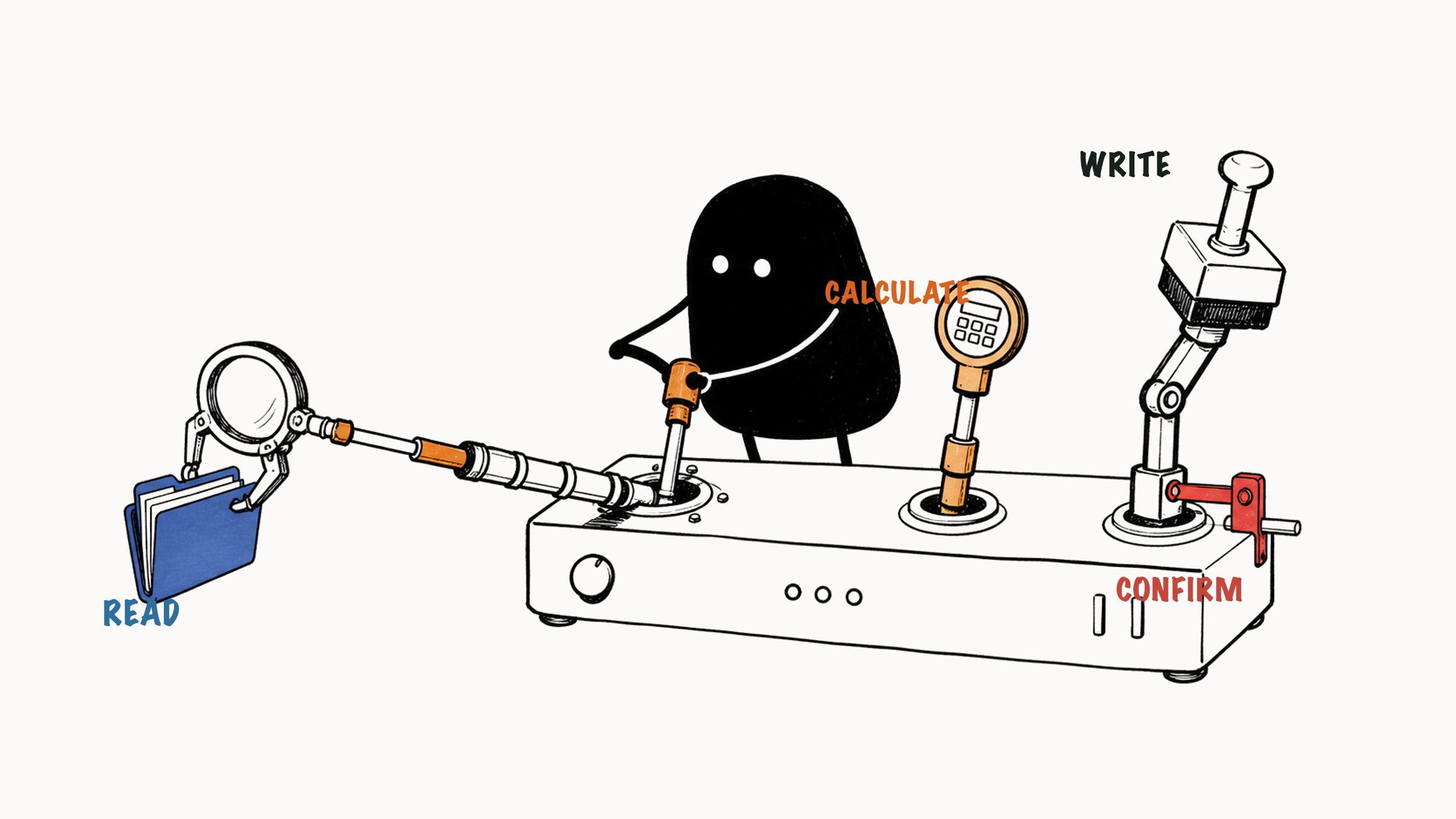
More tools aren't better, though: lookup tools are relatively safe, tools that change outside state deserve an extra check, the model only proposes a call while the system checks and runs it, and a failed call is handled differently depending on whether access was denied or a timeout left the result unknown.
When you're unsure whether a task needs a tool at all, three simple questions usually settle it.
01 Without tools, an AI can only offer common sense
Take this request:
Check whether this customer's order can be refunded.With no order tool and no refund policy, the AI can only answer from common sense (simulated):
Generally it depends on the order date, the condition of the item and the refund policy.The direction is right, but nothing has been looked up or processed. Give the agent tools and it can check the order status, read the refund policy, work out whether information is missing, and draft a reply for the support team. Tools add the abilities to look things up and to act, which lets the agent keep the refund task moving.
02 Three kinds of tools and their risks
Most tools fall into one of three groups:
| Tool type | Problem it solves | Examples |
|---|---|---|
| Lookup tools | Get outside information | Check the weather, an order, stock or a calendar |
| Retrieval tools | Find evidence in documents | Search documents, query a knowledge base, find a policy clause |
| Action tools | Change the state of an outside system | Create a task, send an email, submit a refund, update a record |
Lookup and retrieval tools mostly read information, so their risk depends on whether the data is public and whether permissions are set correctly. Action tools change real systems: sending email, editing an order, deleting a file or submitting an application all have real business consequences. To judge the risk, look at what the data is used for and what an error would cost. The tool's name is only a hint. Before using a tool, ask two questions: does it read information or write to a system, and how much damage does a mistake do?
03 Who requests the call, and who carries it out
Tool calling follows a common convention called function calling. It defines how the model and outside systems work together:
The developer tells the model which tools it may use
The model judges whether the task needs a tool
The model supplies the parameters the tool needs
The outside system checks permissions, parameters and any required approval
The outside system executes the lookup or operation
The model decides what to do next from the success result or the failure message
Claude's tool use documentation describes it the same way: the model decides when to call a tool from the user's request and the tool's description, then returns a structured call that your application runs. In other words, the model requests the call and the outside system does the real work. A request names the tool and its parameters, for example "look up the weather" with "city: Shanghai, date: tomorrow." It only shows what the model wants to find out. Whether the lookup ran, and what it returned, you confirm from the tool's response.
User:   Is tomorrow good for a run in Shanghai?
Model:  I need the weather
Tool:   look up tomorrow's weather in Shanghai
Result: temperature, rain, air quality
Model:  give advice based on the result
When a result comes back, compare it with the original question. If you asked about tomorrow's weather and got today's data, the call succeeded but the date is still wrong. If you also need air quality and the result only has temperature and rain, that item is still open.
04 Handle failures separately
Two kinds of failure call for different handling:
- A lookup returns "access denied": stop there, respect the permission boundary and ask someone who has access.
- A refund submission times out: the outcome is unknown. Check the processing status first, and hand it to a person if you can't.
Check the status before any retry, since the same action can end up running twice.
05 Use tools only when needed
For the same job, a different goal means different tools. Start here:
Write a meeting invitation for me.The AI can generate the text directly, so no tool is needed.
Find a time when all three colleagues are free and write the meeting invitation.Free time lives in an outside system, so this task needs a calendar lookup tool. The agent checks each person's calendar, finds the overlap and writes the invitation.
Once you find a time, send the meeting invitation right away.Now an action tool comes in: sending the invitation. The agent first offers candidate times and a draft, and sends it only after you confirm, which keeps it from booking other people's calendars by mistake.
Explaining a concept, rewriting text or summarizing material you provide usually depends only on the conversation, so the AI can generate it directly. Looking up the latest information, private files or account status needs outside data. Writing into a business system or scheduling meetings from a calendar means operating on outside systems.
If the answer depends only on the conversation, you can skip tools for now.
If the answer depends on outside data, consider lookup or retrieval tools.
If the task changes an outside system, add a confirmation point.
06 When in doubt, ask three questions
A writing agent that only polishes text already has what it needs in the text. Connecting calendars, email, search and databases adds choices and permission entry points, plus the risk of wrong calls and a more complicated flow, without supplying anything this task needs. When you're not sure, ask:
Without this tool, would the agent be unable to get information it needs?
Without this tool, would the agent be unable to do something the user clearly asked for?
Could a wrong call to this tool cause real loss?
If the first two answers are both no, leave the tool out for now. Equip the agent with what the current task requires and add more when a need appears.
Tools let an agent read outside information and take real actions within its authorization, so one wrong judgment can turn "saying something wrong" into "doing something wrong." Every capability you give should come with matching permissions and approval points. For how to tier permissions for action tools, see whether an agent can send emails or refunds on its own.